Wholesale touchscreen kiosk pricing gets tricky at low volumes
Time
Click Count
For buyers comparing wholesale touchscreen kiosk options, pricing often becomes unexpectedly complex at low volumes. Whether you are evaluating an interactive information kiosk OEM or benchmarking broader commercial sourcing categories, small-batch orders can expose hidden tooling, compliance, and customization costs. This guide helps procurement teams and evaluators understand what truly shapes kiosk quotes before negotiations begin.
In practice, low-volume kiosk procurement sits at the intersection of hardware engineering, commercial design, supply chain planning, and certification risk. A quote for 10 units rarely behaves like a simple one-tenth version of a 100-unit project. Fixed engineering costs, enclosure modifications, software integration, packaging requirements, and after-sales support can all weigh more heavily when order quantities are small.
For sourcing teams, operators, and commercial evaluators, this means the right question is not only “What is the unit price?” but also “What cost structure is hidden inside the quote?” That distinction matters across modern retail, hospitality, transport hubs, showrooms, and corporate visitor environments where touchscreen kiosks must combine digital usability with physical durability.
Why Low-Volume Touchscreen Kiosk Quotes Become Unpredictable
At higher volumes, suppliers can spread non-recurring engineering costs across 100, 300, or even 1,000 units. At low volumes such as 5, 10, or 20 kiosks, those same costs remain almost unchanged in absolute terms. This is why buyers often see a large gap between an indicative online price and a formal wholesale touchscreen kiosk quotation from an OEM or ODM manufacturer.
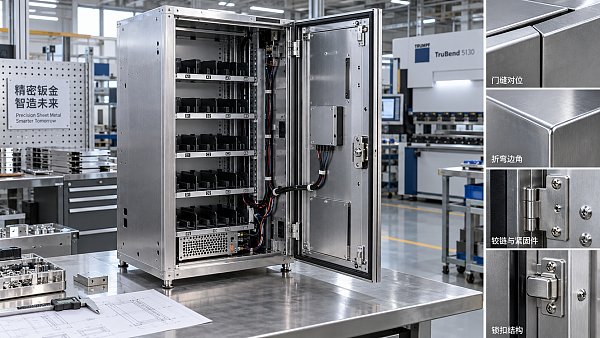
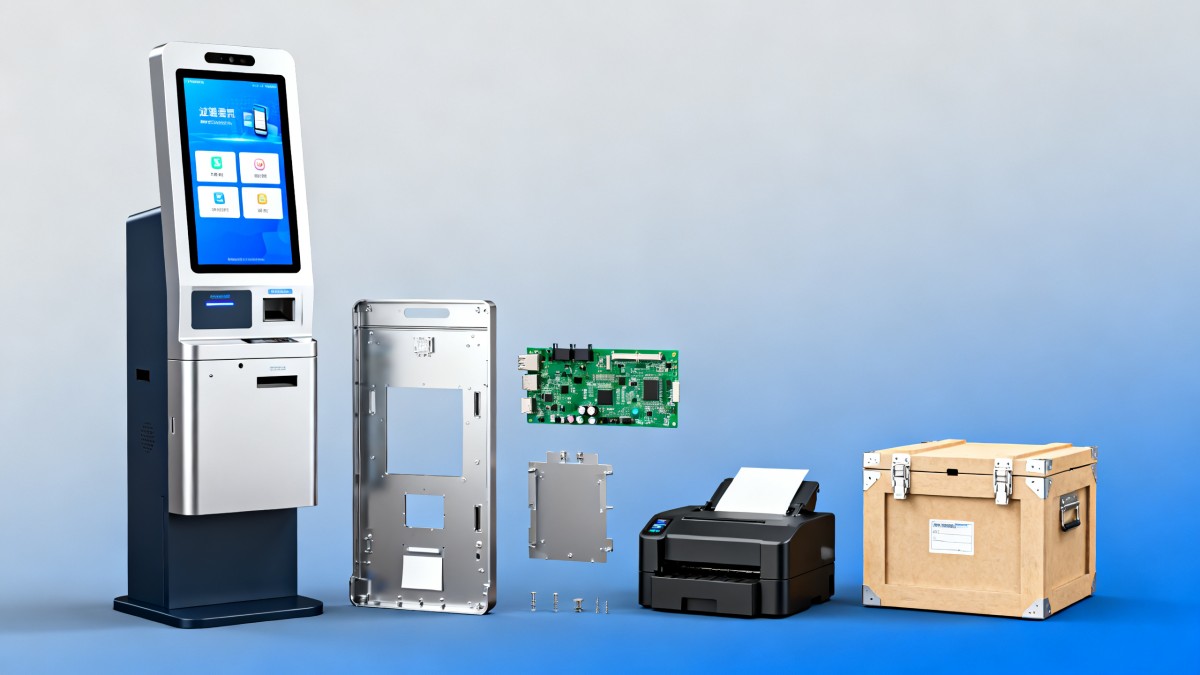
The first source of variability is the enclosure. A freestanding interactive information kiosk may require a custom steel body, aluminum trim, tempered glass, access panels, ventilation routing, and branded powder coating. Even when the screen size stays within common ranges such as 21.5 inches, 32 inches, or 43 inches, a small revision to the housing can trigger new drawings, laser cutting files, prototype assembly, and finish sampling.
The second source is electronics integration. A low-volume project may include a commercial LCD, projected capacitive touch panel, Android or Windows media board, printer, scanner, payment terminal cutout, camera, speakers, and network module. If the standard BOM changes by only 2 or 3 components, the impact on procurement lead time and validation can be significant because the supplier cannot rely on large-batch purchasing leverage.
The third factor is compliance and destination-market readiness. Buyers serving chain retail, corporate lobbies, healthcare waiting areas, or transport settings often need UL, CE, EMC, RoHS, or equivalent conformity support. Even when the product platform is close to an existing design, documentation review, label updates, cable set substitutions, and packaging tests can add cost that is difficult to dilute over a 10-unit order.
Typical cost layers inside a small-batch kiosk quote
A better way to compare suppliers is to separate one-time costs from recurring unit costs. That helps procurement teams identify whether a quote is expensive because of genuine setup work or because the supplier is simply adding margin to compensate for operational inconvenience.
The key takeaway is that low-volume pricing is rarely irrational. It is often a reflection of how much of the project sits in fixed cost rather than scalable manufacturing cost. For commercial sourcing teams, this makes quote transparency more valuable than chasing the lowest initial number.
The Main Pricing Drivers Buyers Should Audit Before Negotiation
Before asking for discounts, buyers should map the specification elements most likely to change price by 8% to 30%. In many cases, the largest swings come not from the touchscreen itself but from enclosure architecture, I/O requirements, branding treatments, and service commitments. A disciplined pre-quote checklist can reduce rework and lead to more comparable supplier proposals.
Screen size and brightness are a clear example. A 21.5-inch indoor kiosk with 250–350 nits brightness is a different commercial package from a 32-inch unit running at 500–700 nits for brighter public environments. The buyer may perceive both as “basic interactive kiosks,” but thermal design, power supply selection, and panel sourcing can differ enough to alter both cost and delivery timeline.
Processor class also matters. A lightweight wayfinding or product catalog application may run effectively on Android hardware, while queue management, ERP integration, or browser-heavy workflows may require an x86 Windows platform. The price delta is not only the motherboard. It can include SSD capacity, OS licensing, remote management expectations, and higher power or cooling requirements over a 3–5 year deployment cycle.
Customization depth is another major lever. Surface branding, logo placement, and a color change may be relatively low risk. But structural changes such as adding a receipt printer bay, ADA-oriented height modifications, concealed cable management, or lockable service doors can turn a standard kiosk into a custom project. Procurement teams should define which requirements are mandatory and which are negotiable before requesting final pricing.
A practical audit checklist for spec-driven cost changes
The following checklist helps sourcing teams, operators, and business evaluators isolate the specifications most likely to affect low-volume touchscreen kiosk pricing.
- Display format: 21.5-inch, 27-inch, 32-inch, or 43-inch, plus brightness level and viewing environment.
- Touch technology: projected capacitive for premium interaction, or infrared for glove-friendly or wide-bezel applications.
- Compute platform: Android for simpler deployments, Windows or x86 for broader software compatibility.
- Peripheral set: printer, barcode scanner, NFC reader, payment terminal mount, webcam, microphone, or speakers.
- Mechanical changes: freestanding base design, wall mount adaptation, anti-tip features, ventilation, and service access.
- Commercial compliance: target markets, required labeling, cable standards, and pre-shipment inspection depth.
Where buyers often misread “standard” configurations
Many suppliers advertise a standard kiosk, but there may be 4 or 5 internal variants behind that label. One may use consumer-grade panels, another may use commercial-grade displays rated for 16/7 or 24/7 use, and another may include a heavier enclosure for public traffic. If a quote does not specify duty cycle, panel source category, or service-door construction, comparisons become unreliable.
For organizations modernizing retail or public-facing commercial spaces, this matters beyond cost. A kiosk that saves 12% upfront but needs more frequent maintenance, replacement glass, or thermal troubleshooting can become the more expensive option within the first 12 to 18 months. This is especially relevant in distributed deployments across chain stores or managed corporate environments.
How MOQ, Tooling, and Compliance Shift the Real Unit Economics
MOQ is one of the least understood drivers in wholesale touchscreen kiosk sourcing. A supplier may accept an order of 10 units, but key components inside that kiosk may still be purchased in MOQs of 20, 50, or 100. If the supplier takes inventory risk on your behalf, that risk may be embedded in the unit price or charged as a setup premium.
Tooling is not always “hard tooling” in the mold-making sense. In kiosk projects, tooling may include jigs, brackets, cut templates, custom glass silk-screen masks, powder-coating samples, or modified mounting assemblies. Even if the amount is moderate compared with injection molding industries, a few hundred or a few thousand dollars in setup cost becomes highly visible when divided across only 8 or 15 units.
Compliance introduces a similar effect. If the kiosk will be used in Europe, North America, or a regulated institutional environment, the supplier may need to verify component declarations, revise labels, prepare test references, or align cable and power configurations. None of these tasks may look dramatic, but together they can add 1 to 3 weeks and a meaningful project management burden.
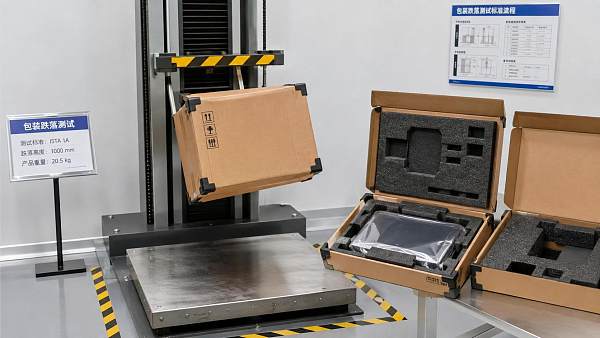
For international buyers, logistics packaging should also be treated as part of compliance-ready commercialization. Export cartons, foam protection, shock mitigation, pallet design, and drop-test alignment are often under-budgeted in low-volume orders. Yet damage rates on touchscreen assemblies are especially sensitive to packaging quality, and a single cracked display can distort the savings from an aggressively negotiated unit cost.
A benchmark view of low-volume cost pressure points
While exact figures vary by specification and supplier region, buyers can use the following framework to understand where small-batch economics usually tighten.
The commercial lesson is simple: the “real” unit economics of a kiosk are shaped by annualized volume, configuration stability, and market-readiness requirements. A supplier can only optimize price when those variables are visible early and remain consistent through approval.
How to Compare Suppliers Without Being Misled by the Lowest Quote
Low-volume buyers often receive proposals that look close on the surface but differ substantially in scope. One supplier may include standard export packaging, firmware testing, and 48-hour burn-in, while another may exclude these items or treat them as optional add-ons. If the procurement team compares only the ex-works unit price, the lowest quote may not represent the lowest project cost or the lowest operational risk.
A stronger sourcing method is to score suppliers across at least 4 dimensions: technical fit, commercial transparency, delivery reliability, and after-sales readiness. This approach works especially well for organizations that manage multiple commercial categories and need consistency between kiosk procurement and broader smart retail technology sourcing decisions.
Commercial transparency means the supplier clearly identifies what is standard, what is optional, and what is one-time. Delivery reliability includes realistic lead times such as 3–5 weeks for standard batches or 5–8 weeks for custom low-volume orders, rather than optimistic promises with vague caveats. After-sales readiness should cover spare parts policy, remote troubleshooting, documentation quality, and response expectations for deployed units.
For operators, ease of maintenance should never be treated as secondary. A kiosk may spend years in service in a retail aisle, hotel lobby, clinic, or showroom. If access to the media player, power supply, printer, or I/O ports requires excessive disassembly, field maintenance time can rise from 10 minutes to 45 minutes per intervention. That has a measurable labor impact in distributed rollouts.
A supplier evaluation matrix for small-batch projects
The matrix below can help cross-functional teams align procurement, operations, and technical evaluation before selecting a touchscreen kiosk supplier.
A disciplined comparison model reduces the risk of buying a kiosk that looks inexpensive on paper but creates hidden engineering, logistics, or field service costs later. In a modern commercial ecosystem, procurement quality is often defined by predictability as much as by headline price.
Best Practices to Lower Cost Without Sacrificing Commercial Performance
The best savings opportunities usually come from simplification, not from pushing suppliers for unrealistic discounts. For example, buyers can often reduce cost by standardizing around 1 enclosure platform and 2 display sizes rather than allowing each business unit to request a different form factor. This improves component commonality, shortens revision cycles, and supports spare parts planning.
Another effective tactic is phased purchasing. If the immediate need is 10 units but the business plan indicates 30 to 50 units over the next 6 to 12 months, share that roadmap during RFQ. Some suppliers will offer better pricing if they can structure the project around a repeatable platform instead of treating it as a one-off custom build. Even where the first shipment remains small, forecast visibility can improve commercial terms.
Specification discipline is equally important. Keep must-have requirements separate from nice-to-have requests. A payment-ready kiosk, for instance, has different security, cutout, and cable routing implications than a simple product information kiosk. If those scenarios are mixed in the same inquiry, the supplier may quote the more complex build as a precaution, raising the baseline for the entire project.
Finally, plan validation in 3 clear stages: sample review, pilot deployment, and scaled release. This structure is especially useful for commercial spaces where aesthetics, software integration, and field behavior must all be confirmed. A 1-unit engineering sample followed by a 3- to 5-unit pilot can expose serviceability or packaging issues before the wider rollout, protecting both budget and user experience.
Actions that usually improve low-volume sourcing outcomes
- Lock the use case first: self-service ordering, information lookup, queue check-in, digital signage with touch, or corporate reception.
- Reduce unnecessary variation: choose standard finishes, common screen sizes, and proven compute platforms where possible.
- Ask for quote separation: unit price, tooling or NRE, testing, packaging, and optional peripherals should be listed independently.
- Confirm market requirements early: power input, plug type, labeling, and compliance expectations should be stated before prototyping.
- Request maintenance details: access panels, spare parts lead time, and remote troubleshooting process should be documented.
FAQ: common buyer questions in low-volume kiosk procurement
Below are practical answers to the questions most often raised by sourcing managers, operators, and evaluators when small-batch kiosk pricing appears inconsistent.
How many units are typically considered low volume?
In many commercial hardware projects, 5 to 20 units is generally treated as low volume, especially if customization is involved. Some suppliers can handle 20 to 50 units more efficiently if the design uses an existing platform with minimal mechanical changes.
How long does a low-volume touchscreen kiosk project usually take?
A standard configuration may move in 3 to 5 weeks after confirmation, while a custom low-volume program often requires 5 to 8 weeks, depending on approvals, sample revision count, and compliance preparation. Packaging validation or destination-market adjustments can extend the schedule further.
Is it better to buy a fully custom kiosk for a pilot?
Not always. For many pilots, a semi-custom platform is more efficient. Buyers can validate software, traffic flow, ergonomics, and user behavior first, then decide whether a deeper structural customization is commercially justified before expanding to 30 or more units.
Wholesale touchscreen kiosk pricing becomes tricky at low volumes because the quote reflects far more than screens and metal. It includes engineering effort, supply chain friction, compliance preparation, packaging discipline, and long-term service assumptions. The more clearly buyers define application, specification boundaries, and future volume potential, the easier it becomes to secure a fair and comparable offer.
For commercial sourcing teams working across smart retail technology and broader physical environment modernization, structured benchmarking is essential. G-BCE helps procurement leaders, operators, and commercial evaluators translate technical detail into stronger sourcing decisions across hardware categories. To assess your touchscreen kiosk requirements, compare supplier structures, or build a more resilient procurement brief, contact us now to get a tailored solution and deeper benchmarking support.
News Recommendations
 How to select laboratory instruments for reproducible test results
![51a6ab95581761cc26f4318be6520c15]()
Aris Katos
Future of Carbide Coatings
 When does a sheet metal prototype reveal design flaws early?
![51a6ab95581761cc26f4318be6520c15]()
Aris Katos
Future of Carbide Coatings
 When PE air column bags reduce damage in e-commerce fulfillment
![51a6ab95581761cc26f4318be6520c15]()
Aris Katos
Future of Carbide Coatings
 How energy-efficient design reduces operating costs in retail lighting
![51a6ab95581761cc26f4318be6520c15]()
Aris Katos
Future of Carbide Coatings
 When commercial aluminum storefronts make sense for a retail renovation
![51a6ab95581761cc26f4318be6520c15]()
Aris Katos
Future of Carbide Coatings
 What makes LED lights durable in high-use commercial spaces?
![51a6ab95581761cc26f4318be6520c15]()
Aris Katos
Future of Carbide Coatings
 Which industry categories offer the strongest export potential in Latin America?
![51a6ab95581761cc26f4318be6520c15]()
Aris Katos
Future of Carbide Coatings
 How to choose an ultra bright waterproof window display for storefronts
![51a6ab95581761cc26f4318be6520c15]()
Aris Katos
Future of Carbide Coatings
 How to verify suppliers on a trade portal for global sourcing
![51a6ab95581761cc26f4318be6520c15]()
Aris Katos
Future of Carbide Coatings
 How RoHS requirements should be stated in product specifications
![51a6ab95581761cc26f4318be6520c15]()
Aris Katos
Future of Carbide Coatings
 What affects the lead time for custom retail counter displays?
![51a6ab95581761cc26f4318be6520c15]()
Aris Katos
Future of Carbide Coatings
 What consumer packaging USA importers need to verify before ordering
![51a6ab95581761cc26f4318be6520c15]()
Aris Katos
Future of Carbide Coatings
 How commercial spaces interiors shape customer dwell time
![51a6ab95581761cc26f4318be6520c15]()
Aris Katos
Future of Carbide Coatings
 How LED commercial lighting design reduces glare in retail spaces
![51a6ab95581761cc26f4318be6520c15]()
Aris Katos
Future of Carbide Coatings
 How industrial technology information improves RFID inventory accuracy
![51a6ab95581761cc26f4318be6520c15]()
Aris Katos
Future of Carbide Coatings
 When drip garden watering systems make more sense than sprinklers
![51a6ab95581761cc26f4318be6520c15]()
Aris Katos
Future of Carbide Coatings
 When category comparison improves sourcing for industrial applications
![51a6ab95581761cc26f4318be6520c15]()
Aris Katos
Future of Carbide Coatings
 Industrial application guidance for selecting the right LED lighting
![51a6ab95581761cc26f4318be6520c15]()
Aris Katos
Future of Carbide Coatings
 Which commercial architecture standards apply to European retail fit-outs?
![51a6ab95581761cc26f4318be6520c15]()
Aris Katos
Future of Carbide Coatings
 How to verify FDA requirements for maternity care products
![51a6ab95581761cc26f4318be6520c15]()
Aris Katos
Future of Carbide Coatings
 How to verify BPA-free claims for food-contact products
![51a6ab95581761cc26f4318be6520c15]()
Aris Katos
Future of Carbide Coatings
 When does a European wholesale supplier suit modular office projects?
![51a6ab95581761cc26f4318be6520c15]()
Aris Katos
Future of Carbide Coatings
 When consumer ecosystem solutions improve the in-store shopping journey
![51a6ab95581761cc26f4318be6520c15]()
Aris Katos
Future of Carbide Coatings
 How a commercial developers network can reduce site selection risk
![51a6ab95581761cc26f4318be6520c15]()
Aris Katos
Future of Carbide Coatings
 How clear purchasing specifications prevent costly supplier deviations
![51a6ab95581761cc26f4318be6520c15]()
Aris Katos
Future of Carbide Coatings
 What an ISTA drop test lab checks before your packaging ships
![51a6ab95581761cc26f4318be6520c15]()
Aris Katos
Future of Carbide Coatings
 Which commercial furniture standards apply to workplace seating?
![51a6ab95581761cc26f4318be6520c15]()
Aris Katos
Future of Carbide Coatings
 How to evaluate smart lighting module OEM compatibility before sampling
![51a6ab95581761cc26f4318be6520c15]()
Aris Katos
Future of Carbide Coatings
 How to assess whether sustainable technology delivers real impact
![51a6ab95581761cc26f4318be6520c15]()
Aris Katos
Future of Carbide Coatings
 How to assess an OEM supplier’s quality control before ordering
![51a6ab95581761cc26f4318be6520c15]()
Aris Katos
Future of Carbide Coatings
 How consumer ecosystem solutions data can improve retail personalization
![51a6ab95581761cc26f4318be6520c15]()
Aris Katos
Future of Carbide Coatings
 When does consumer packaging design justify a higher product price?
![51a6ab95581761cc26f4318be6520c15]()
Aris Katos
Future of Carbide Coatings
 Supermarket Fixture Installation: Planning Layouts, Wiring, and Handover
![51a6ab95581761cc26f4318be6520c15]()
Aris Katos
Future of Carbide Coatings
 Automated Lighting and Smart Lighting Control in Bergerac: Key Project Considerations
![51a6ab95581761cc26f4318be6520c15]()
Aris Katos
Future of Carbide Coatings
 Segment Streetlight Controllers: Choosing Control Modes for Urban Roads
![51a6ab95581761cc26f4318be6520c15]()
Aris Katos
Future of Carbide Coatings
 IEC 62471-2 Explained: How to Assess Photobiological Risks in LED Lighting
![51a6ab95581761cc26f4318be6520c15]()
Aris Katos
Future of Carbide Coatings
 Food Grade Packaging Requirements by Product Type, Temperature, and Contact Risk
![51a6ab95581761cc26f4318be6520c15]()
Aris Katos
Future of Carbide Coatings
 Food Packaging Compliance Checklist: Tests, Records, and Labeling Before Shipment
![51a6ab95581761cc26f4318be6520c15]()
Aris Katos
Future of Carbide Coatings
 NSF Food Packaging Standards: When Certification Matters for Commercial Food Use
![51a6ab95581761cc26f4318be6520c15]()
Aris Katos
Future of Carbide Coatings