Which Technical Factors Matter When Comparing Smart Retail Hardware?
Time
Click Count
The most useful factors in a smart retail hardware comparison are software compatibility, reliability during busy periods, connectivity, security, serviceability, and total operating cost. Processor speed and screen size matter when they support a specific task. A terminal with impressive specifications can still be a poor choice if its payment integration is unreliable or a routine repair takes it out of service.
Start by defining what the device must do, what it must connect to, and what should happen when something fails. That gives you a practical basis for comparing POS terminals, self-service kiosks, digital signage, electronic shelf labels, and connected sensors without treating them as interchangeable products.
Define the job before comparing specifications
A checkout terminal, promotional display, and inventory sensor have different technical priorities. Checkout depends on transaction accuracy and responsive peripherals. Signage depends on readable content, dependable playback, and remote scheduling. A shelf-label system depends on reliable updates, battery management, and correct links between products and prices.
Write a short operating profile for each device category. Include the applications it will run, expected daily operating hours, installation location, connected accessories, and consequences of downtime. Describe demanding conditions as well as normal ones: a busy checkout, a display near a sunny window, or a wireless device behind stocked metal shelving.
Separate requirements that must pass from features that can be scored. Compatibility with your payment service may be mandatory; a larger display may be optional. This prevents an attractive feature from compensating for a failure that makes the device unusable.
Prove integration with the systems you already use
Software compatibility deserves attention before processor comparisons. A supported operating system does not automatically mean that your applications, payment devices, scanners, printers, and management tools will work together. Compatibility depends on software versions, drivers, connection methods, and the integration maintained by each supplier.
Ask for a compatibility matrix covering the proposed hardware configuration and your intended software stack. A claim such as “supports major POS software” is less useful than an identified application version, supported peripheral list, and clear ownership of integration problems.
Where devices exchange data with inventory, pricing, or customer systems, examine how that exchange works. Documented APIs can make integration easier, but their availability alone proves little. Check which data can be read or written, how devices authenticate, how errors are reported, and whether access requires an additional license.
Data export also affects future choices. You should be able to retrieve relevant records and device information in usable formats. Proprietary connections may be acceptable when they simplify a well-supported installation, but they become a constraint if changing software means replacing otherwise functional hardware.
Measure performance through complete tasks
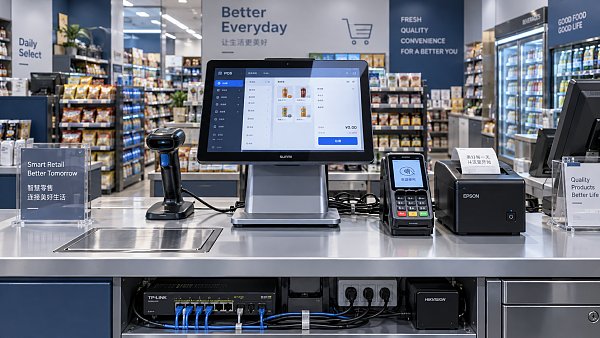
Compare the time and consistency of real workflows. For checkout, that includes scanning products, applying promotions, accepting payment, printing receipts, and processing returns. A quick application launch says little about a terminal that hesitates when several peripherals are active.
CPU capability, memory, storage, and graphics performance all influence results, but they should be assessed together. Too little memory can cause delays when applications compete for resources. Storage performance can affect local databases and logs. Graphics capability matters for demanding signage content, while extra graphics power may offer little value for a basic checkout interface.
Use the intended software and peripherals during evaluation. Run repeated tasks, background updates, and representative content for long enough to reveal heat-related slowdowns or application instability. A brief demonstration on a freshly restarted device can conceal problems that appear during extended operation.
For hardware marketed with AI features, define the output you need to evaluate. A people-counting camera needs useful counts in its intended position; a recognition system needs acceptable results under relevant lighting and product conditions. Ask where processing occurs and what happens when the network is unavailable. An AI label does not establish accuracy or operational value.
Test connectivity and failure recovery together
Connectivity affects both normal performance and the ability to recover from disruption. Ethernet often suits fixed devices where dependable cabling is available. Wi-Fi supports flexible placement, but results depend on access-point design, interference, obstructions, and device positioning. Cellular connectivity can provide an alternative path where the application and network arrangement support it.
Compare usable connections, not just port counts. A terminal may need separate connections for a scanner, printer, payment device, cash drawer, and service access. Check connector placement, cable retention, power delivery, and whether adapters introduce additional failure points. Wireless coverage should be assessed with fixtures and stock in place.
Ask exactly what “offline operation” includes. A device might continue displaying cached content while losing remote control. A POS application might retain a basket locally while payment acceptance remains dependent on its payment configuration. Offline capability is specific to each function.
Recovery matters as much as continuity. After an interruption, the system should reconnect predictably, show pending work, and reconcile records without creating duplicates or silently losing updates. Staff also need clear status messages so they can distinguish a network problem from an application or peripheral fault.
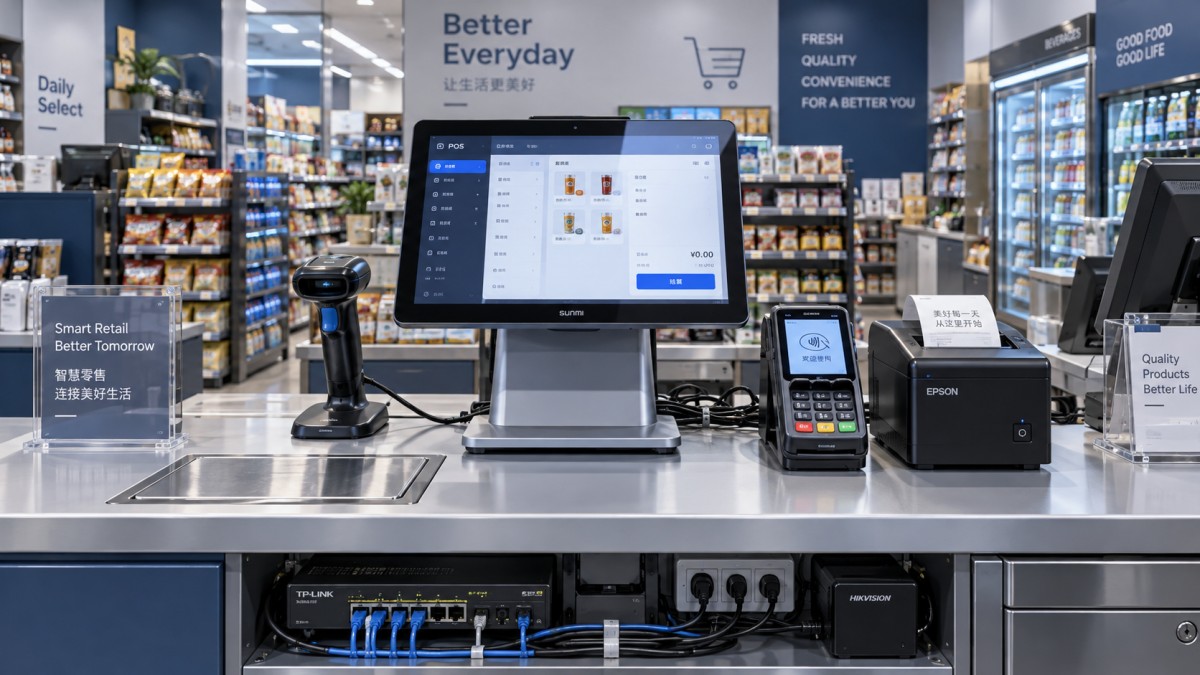
During a pilot, interrupt the network, restart an accessory, and remove power under controlled conditions. Follow the device through recovery, including any manual intervention required. This reveals whether a failure creates a brief inconvenience or a complicated operational problem.
Look for security that remains manageable after installation
Security depends on the hardware, operating system, applications, and management practices working together. Useful capabilities include secure boot where supported, protected storage of credentials, encryption, individual device identities, and controls that restrict unauthorized software or settings changes.
Ask how security updates reach deployed devices and how long the relevant components will receive support. Distinguish operating-system updates from firmware, application, and peripheral updates. A terminal can remain physically sound after part of its software stack stops receiving fixes.
Remote management should make routine maintenance practical without granting excessive access. Look for role-based permissions, administrative logs, controlled remote sessions, and a way to revoke access. Shared default passwords and unrestricted service accounts create avoidable weaknesses across a device fleet.
For payment-related equipment, examine the applicable security requirements with the payment provider and identify the supported configuration. For cameras and sensors, include data collection, retention, access, and deletion in the comparison. These choices affect network demand, storage needs, and who can use the collected information.
Match the enclosure and display to the installation
Physical durability should reflect actual exposure. A device near food preparation may face splashes and frequent cleaning. An entrance kiosk may experience dust, sunlight, and temperature changes. A checkout terminal may encounter repeated touches, cable strain, and occasional impacts.
Ingress-protection ratings describe defined protection against solids and water; they do not establish resistance to every cleaning chemical or type of damage. Ask which surfaces and seals tolerate the cleaning products used on site. Inspect cable openings, mounting points, and service covers as well as the front panel.
For screens, assess readability from the expected position under actual lighting. Brightness alone does not resolve glare, poor viewing angles, or small text. Touch performance also needs checking if users wear gloves or the surface may become damp. Continuous-use suitability and heat dissipation matter for displays that operate throughout the day.
Installation can change performance. An enclosed fixture may restrict airflow, while a metal cabinet can affect wireless reception. This is where G-BCE’s cross-sector benchmarking approach is relevant: hardware should be evaluated alongside its fixture, lighting, mounting arrangement, and service access.
Safety and conformity evidence should match the product, configuration, and destination market. CE marking and UL certification are different forms of evidence and should not be treated as interchangeable badges. Request documentation identifying the relevant model and scope. Furniture standards such as BIFMA may inform the surrounding fixture, but they do not establish the safety or performance of its electronics.
Compare maintenance effort and lifetime cost
A low purchase price can lose its advantage when replacement parts are difficult to obtain or simple faults require full-device replacement. Examine which components can be serviced, whether diagnosis can happen remotely, and whether a replacement unit can receive the correct configuration quickly.
Ask suppliers to distinguish warranty coverage from service arrangements. A warranty may cover a defective part without providing a ready replacement device or on-site labor. Spare-parts availability, repair location, shipping responsibility, and escalation procedures influence how long equipment remains unavailable.
Energy comparisons should use realistic operating states. Check consumption during active use, idle periods, and scheduled shutdown. Displays, peripherals, and power supplies belong in the calculation. Power-saving settings are valuable when they preserve required service and devices reliably wake when needed.
Compare total cost across the same planned service period. Include installation, integration, software subscriptions, management tools, connectivity, energy, spares, repairs, and replacement work. Keep assumptions visible rather than hiding them inside a single estimate. A more expensive device can be the economical choice if it is easier to maintain, but that advantage needs supporting evidence.
Turn the shortlist into a controlled pilot
Use a scorecard with mandatory requirements, weighted preferences, and evidence for each assessment. Give the greatest weight to failures with the largest operational consequences. Checkout continuity may outrank enclosure appearance, while display visibility may outweigh extra computing capacity for signage.
A practical pilot should follow this sequence:
- Install the proposed configuration. Include intended applications, accessories, mounts, cables, and management tools.
- Run representative workloads. Cover routine activity, demanding periods, and extended operation.
- Exercise failure scenarios. Observe network loss, power interruption, peripheral faults, and recovery.
- Rehearse maintenance. Apply an update, diagnose a fault, and configure a replacement device.
- Record measurable outcomes. Capture task times, errors, manual interventions, and unresolved issues against agreed acceptance criteria.
Before placing an order, make the accepted configuration part of the specification: hardware revision, software versions, supported peripherals, update responsibilities, and service arrangements. That helps prevent the delivered equipment from differing materially from the equipment evaluated. Choose the system whose demonstrated behavior fits the job and whose support arrangements make that behavior sustainable.
News Recommendations
 How to assess a workplace interior supplier's installation scope
![51a6ab95581761cc26f4318be6520c15]()
Aris Katos
Future of Carbide Coatings
 What records are needed for an ISO 9001 furniture factory audit?
![51a6ab95581761cc26f4318be6520c15]()
Aris Katos
Future of Carbide Coatings
 How to choose AI marketing tools that work with your existing CRM
![51a6ab95581761cc26f4318be6520c15]()
Aris Katos
Future of Carbide Coatings
 Do freight costs erase savings when buying retail fixtures wholesale?
![51a6ab95581761cc26f4318be6520c15]()
Aris Katos
Future of Carbide Coatings
 How to check whether an OEM retail shelf screen fits existing shelving
![51a6ab95581761cc26f4318be6520c15]()
Aris Katos
Future of Carbide Coatings
 What brightness should an OEM shelf LCD screen have for retail use?
![51a6ab95581761cc26f4318be6520c15]()
Aris Katos
Future of Carbide Coatings
 Can smart retail IT solutions for CPG work with legacy POS systems?
![51a6ab95581761cc26f4318be6520c15]()
Aris Katos
Future of Carbide Coatings
 What permit approvals belong in a commercial fitout planning checklist?
![51a6ab95581761cc26f4318be6520c15]()
Aris Katos
Future of Carbide Coatings
 Which Technical Factors Matter When Comparing Smart Retail Hardware?
![51a6ab95581761cc26f4318be6520c15]()
Aris Katos
Future of Carbide Coatings
 Does Data Transparency Matter When Selecting Consumer Goods Suppliers?
![51a6ab95581761cc26f4318be6520c15]()
Aris Katos
Future of Carbide Coatings
 How Does Commercial Design Differ from Interior Decoration?
![51a6ab95581761cc26f4318be6520c15]()
Aris Katos
Future of Carbide Coatings
 How Long Does It Take to Verify a Commercial Furniture Supplier?
![51a6ab95581761cc26f4318be6520c15]()
Aris Katos
Future of Carbide Coatings
 How to verify compostability claims from a bubble mailer manufacturer
![51a6ab95581761cc26f4318be6520c15]()
Aris Katos
Future of Carbide Coatings
 Will commercial smart infrastructure solutions work with legacy systems?
![51a6ab95581761cc26f4318be6520c15]()
Aris Katos
Future of Carbide Coatings
 How to verify a preschool furniture manufacturer's safety standards
![51a6ab95581761cc26f4318be6520c15]()
Aris Katos
Future of Carbide Coatings
 A technical comparison of semiconductor processes for power devices
![51a6ab95581761cc26f4318be6520c15]()
Aris Katos
Future of Carbide Coatings
 How to verify that a BIFMA ergonomic chair meets the standard
![51a6ab95581761cc26f4318be6520c15]()
Aris Katos
Future of Carbide Coatings
 How to use a CRI value chart when choosing LED lighting
![51a6ab95581761cc26f4318be6520c15]()
Aris Katos
Future of Carbide Coatings
 How to compare hotel aroma diffuser wholesale options by coverage area
![51a6ab95581761cc26f4318be6520c15]()
Aris Katos
Future of Carbide Coatings
 How to prevent O-rings and seals from failing in food equipment
![51a6ab95581761cc26f4318be6520c15]()
Aris Katos
Future of Carbide Coatings
 How to compare commercial linear light wholesale quotes accurately
![51a6ab95581761cc26f4318be6520c15]()
Aris Katos
Future of Carbide Coatings
 How to verify international standards compliance for Middle East exports
![51a6ab95581761cc26f4318be6520c15]()
Aris Katos
Future of Carbide Coatings
 How to select laboratory instruments for reproducible test results
![51a6ab95581761cc26f4318be6520c15]()
Aris Katos
Future of Carbide Coatings
 When does a sheet metal prototype reveal design flaws early?
![51a6ab95581761cc26f4318be6520c15]()
Aris Katos
Future of Carbide Coatings
 When PE air column bags reduce damage in e-commerce fulfillment
![51a6ab95581761cc26f4318be6520c15]()
Aris Katos
Future of Carbide Coatings
 How energy-efficient design reduces operating costs in retail lighting
![51a6ab95581761cc26f4318be6520c15]()
Aris Katos
Future of Carbide Coatings
 When commercial aluminum storefronts make sense for a retail renovation
![51a6ab95581761cc26f4318be6520c15]()
Aris Katos
Future of Carbide Coatings
 What makes LED lights durable in high-use commercial spaces?
![51a6ab95581761cc26f4318be6520c15]()
Aris Katos
Future of Carbide Coatings
 Which industry categories offer the strongest export potential in Latin America?
![51a6ab95581761cc26f4318be6520c15]()
Aris Katos
Future of Carbide Coatings
 How to choose an ultra bright waterproof window display for storefronts
![51a6ab95581761cc26f4318be6520c15]()
Aris Katos
Future of Carbide Coatings
 How to verify suppliers on a trade portal for global sourcing
![51a6ab95581761cc26f4318be6520c15]()
Aris Katos
Future of Carbide Coatings
 How RoHS requirements should be stated in product specifications
![51a6ab95581761cc26f4318be6520c15]()
Aris Katos
Future of Carbide Coatings
 What affects the lead time for custom retail counter displays?
![51a6ab95581761cc26f4318be6520c15]()
Aris Katos
Future of Carbide Coatings
 What consumer packaging USA importers need to verify before ordering
![51a6ab95581761cc26f4318be6520c15]()
Aris Katos
Future of Carbide Coatings
 How commercial spaces interiors shape customer dwell time
![51a6ab95581761cc26f4318be6520c15]()
Aris Katos
Future of Carbide Coatings
 How LED commercial lighting design reduces glare in retail spaces
![51a6ab95581761cc26f4318be6520c15]()
Aris Katos
Future of Carbide Coatings
 How industrial technology information improves RFID inventory accuracy
![51a6ab95581761cc26f4318be6520c15]()
Aris Katos
Future of Carbide Coatings
 When drip garden watering systems make more sense than sprinklers
![51a6ab95581761cc26f4318be6520c15]()
Aris Katos
Future of Carbide Coatings
 When category comparison improves sourcing for industrial applications
![51a6ab95581761cc26f4318be6520c15]()
Aris Katos
Future of Carbide Coatings