Interactive Information Kiosk OEM Custom Design: Key Features to Compare
Time
Click Count
Interactive information kiosk OEM custom design has moved beyond enclosure styling or screen size. In commercial interiors, transport hubs, retail networks, healthcare lobbies, and mixed-use developments, the kiosk now acts as a physical touchpoint between brand systems, digital services, and on-site operations.
That shift makes comparison more technical. A well-designed unit must support daily traffic, stable software performance, regulatory compliance, and maintainable hardware architecture. It also needs to fit the visual language of the space without compromising usability.
From the perspective of G-BCE, this is where benchmarking matters. Commercial hardware decisions increasingly sit at the intersection of smart retail technology, fixture integration, signage quality, and supply chain resilience. Evaluating an OEM partner therefore means looking at the kiosk as part of a wider operating ecosystem.
What OEM Custom Design Really Covers
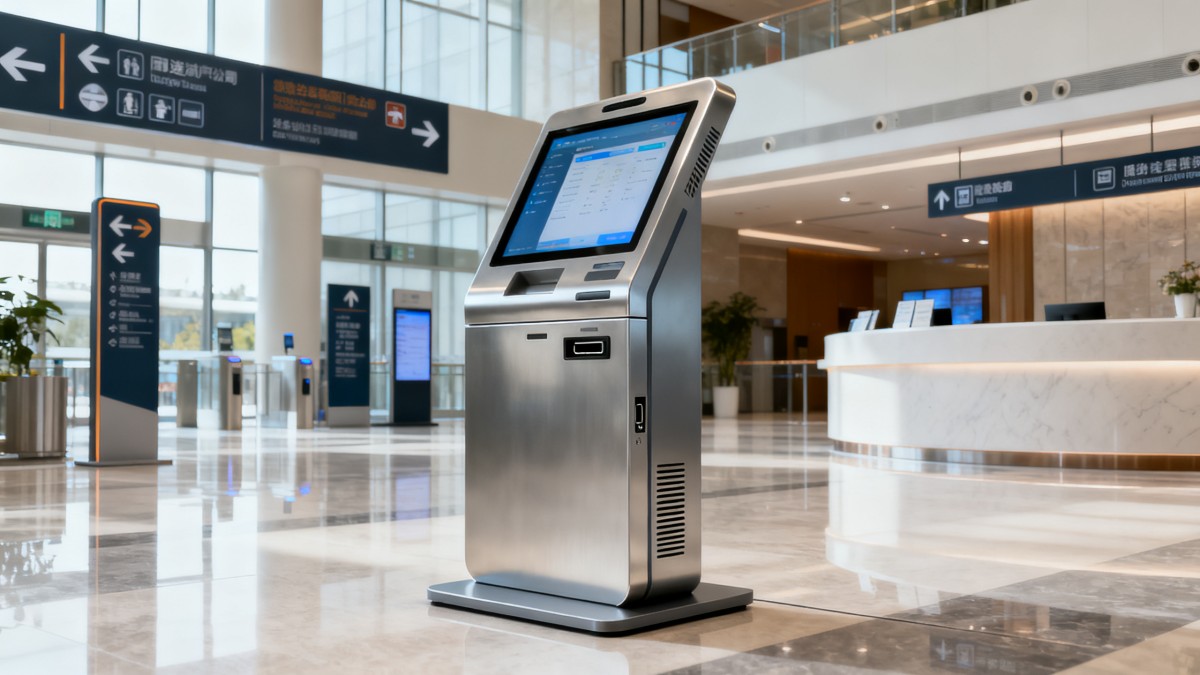
In practice, interactive information kiosk OEM custom design refers to more than private labeling. It includes industrial design, structural engineering, component selection, thermal planning, user interface accommodation, connectivity, and production control.
Some projects start with a standard platform and require limited cosmetic changes. Others need a fully custom cabinet, integrated peripherals, brand-specific materials, and region-specific certifications. Those differences affect lead time, tooling cost, testing scope, and future upgrade options.
A useful evaluation begins with a simple question: is the OEM offering a configurable product, or a true engineering service built around deployment requirements? The answer often explains later performance differences.
Why the Market Is Paying Closer Attention
Physical environments now carry more digital responsibility. Visitors expect wayfinding, self-service information, ticketing, queue guidance, product discovery, and omnichannel support from one interface. That makes kiosk reliability a customer experience issue, not only an equipment issue.
At the same time, commercial developers and global brands are under pressure to standardize deployment across regions. The kiosk must align with local electrical codes, accessibility expectations, language requirements, and service logistics.
This is why interactive information kiosk OEM custom design is now compared with the same rigor used for POS terminals, commercial displays, and architectural fixtures. Small hardware decisions can affect operating cost for years.
Core Features That Deserve Close Comparison
Price remains relevant, but it should sit near the end of the review process. Earlier comparisons usually reveal where one design is genuinely stronger than another.
Display quality and touch performance
Brightness, viewing angle, optical bonding, anti-glare treatment, and touch accuracy directly affect usability. In bright atriums or storefront entrances, a screen that looks acceptable in a showroom may become unreadable in operation.
The touch layer should also match expected behavior. Multi-touch responsiveness, glove compatibility, moisture tolerance, and edge precision matter when the kiosk supports maps, product catalogs, or transaction flows.
Compute platform and integration flexibility
Not every information kiosk needs a high-end processor, but the platform must match software load, media demands, and remote management tools. Fanless systems may improve reliability in dusty spaces, while modular compute design simplifies replacement.
Connection points also deserve attention. Ethernet, Wi-Fi, 4G or 5G readiness, USB access, sensor ports, and secure peripheral interfaces shape what the kiosk can support later.
Cabinet structure and material logic
The enclosure is not only a shell. It determines impact resistance, cable routing, service access, ventilation, mounting stability, and long-term appearance. Powder-coated steel, aluminum, tempered glass, laminate panels, and antimicrobial finishes each serve different environments.
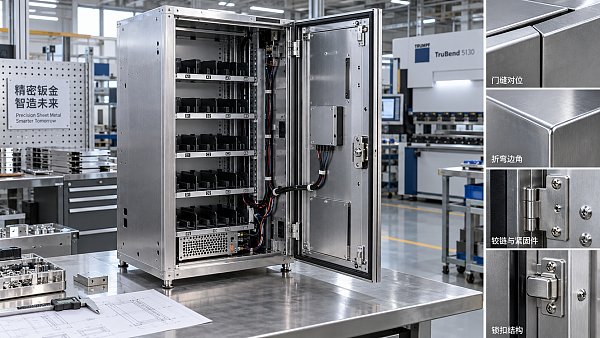
A well-executed interactive information kiosk OEM custom design shows discipline in weld quality, seam consistency, panel alignment, and hidden fastener strategy. These details influence both brand perception and maintenance time.
Thermal management and power design
Heat is a common hidden failure point. Continuous operation, enclosed cabinets, and large displays create thermal stress. Ask how airflow was modeled, how filters are handled, and what happens when ambient temperature rises.
Power design matters just as much. Surge protection, power supply quality, internal wiring discipline, and safe service isolation affect uptime and compliance.
Compliance, safety, and documentation
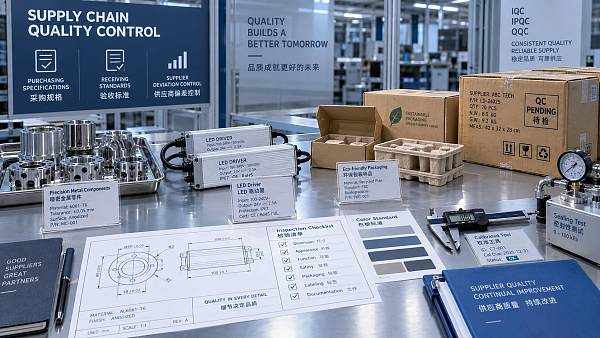
For international deployment, certification planning should appear early, not after mechanical samples are approved. UL, CE, EMC, RoHS, and local electrical requirements can alter component choice or enclosure design.
Documentation quality is often an overlooked signal. Clear drawings, BOM discipline, test records, and traceable revision control usually indicate a more mature OEM process.
Comparing OEM Capabilities in Real Operating Contexts
A kiosk that performs well in one sector may be a weak fit in another. The comparison should follow the service environment rather than abstract specification sheets.
This context-driven view aligns closely with the G-BCE approach. Benchmarking commercial hardware only makes sense when hardware is assessed alongside spatial use, user flow, and lifecycle demands.
Signals of a Stronger Design and Supply Chain Partner
A capable OEM usually demonstrates strength before mass production begins. Early conversations often reveal whether the supplier is solving an engineering problem or only quoting a cabinet.
- Prototype feedback includes thermal, structural, and assembly considerations.
- Material recommendations are tied to traffic conditions and cleaning practices.
- Certification pathways are discussed with realistic timing and scope.
- Spare parts strategy is defined before rollout.
- Revision management is documented, especially for global programs.
- Industrial design changes are reviewed against tooling and service implications.
The best interactive information kiosk OEM custom design programs also account for future change. A kiosk may need a camera module, payment accessory, scanner, or upgraded processor later. Designs that leave no room for evolution often become expensive too early.
Where Cost Decisions Commonly Go Wrong
Low initial pricing can hide expensive compromises. This happens when comparable-looking kiosks use weaker displays, undersized compute modules, poor ventilation, or difficult service layouts.
Another issue is over-customization. A fully bespoke housing may look impressive, yet create unnecessary tooling cost and slower replacement cycles when a semi-custom platform would perform just as well.
A more reliable comparison uses total deployment logic. That includes fabrication quality, installation effort, software compatibility, field repair time, and expected availability of matched parts across regions.
A Practical Framework for the Next Review Round
When reviewing interactive information kiosk OEM custom design proposals, it helps to structure decisions around a short set of weighted questions.
- Does the design fit the actual environment, not just the concept rendering?
- Are display, touch, and compute choices aligned with software behavior?
- Can the cabinet be serviced quickly without damaging finished surfaces?
- Is the compliance path clear for every target market?
- Can the supply chain support repeat orders and controlled revisions?
- Will the kiosk still be practical after three to five years of updates?
These questions create a more disciplined shortlist. They also bring procurement, design, facilities, and digital teams into the same evaluation language, which is often where better deployment outcomes begin.
For organizations navigating cross-border sourcing, the next useful step is to compare sample units, documentation sets, and service assumptions side by side. That makes interactive information kiosk OEM custom design easier to judge on performance, not presentation.
News Recommendations
 How to use a CRI value chart when choosing LED lighting
![51a6ab95581761cc26f4318be6520c15]()
Aris Katos
Future of Carbide Coatings
 How to compare hotel aroma diffuser wholesale options by coverage area
![51a6ab95581761cc26f4318be6520c15]()
Aris Katos
Future of Carbide Coatings
 How to prevent O-rings and seals from failing in food equipment
![51a6ab95581761cc26f4318be6520c15]()
Aris Katos
Future of Carbide Coatings
 How to compare commercial linear light wholesale quotes accurately
![51a6ab95581761cc26f4318be6520c15]()
Aris Katos
Future of Carbide Coatings
 How to verify international standards compliance for Middle East exports
![51a6ab95581761cc26f4318be6520c15]()
Aris Katos
Future of Carbide Coatings
 How to select laboratory instruments for reproducible test results
![51a6ab95581761cc26f4318be6520c15]()
Aris Katos
Future of Carbide Coatings
 When does a sheet metal prototype reveal design flaws early?
![51a6ab95581761cc26f4318be6520c15]()
Aris Katos
Future of Carbide Coatings
 When PE air column bags reduce damage in e-commerce fulfillment
![51a6ab95581761cc26f4318be6520c15]()
Aris Katos
Future of Carbide Coatings
 How energy-efficient design reduces operating costs in retail lighting
![51a6ab95581761cc26f4318be6520c15]()
Aris Katos
Future of Carbide Coatings
 When commercial aluminum storefronts make sense for a retail renovation
![51a6ab95581761cc26f4318be6520c15]()
Aris Katos
Future of Carbide Coatings
 What makes LED lights durable in high-use commercial spaces?
![51a6ab95581761cc26f4318be6520c15]()
Aris Katos
Future of Carbide Coatings
 Which industry categories offer the strongest export potential in Latin America?
![51a6ab95581761cc26f4318be6520c15]()
Aris Katos
Future of Carbide Coatings
 How to choose an ultra bright waterproof window display for storefronts
![51a6ab95581761cc26f4318be6520c15]()
Aris Katos
Future of Carbide Coatings
 How to verify suppliers on a trade portal for global sourcing
![51a6ab95581761cc26f4318be6520c15]()
Aris Katos
Future of Carbide Coatings
 How RoHS requirements should be stated in product specifications
![51a6ab95581761cc26f4318be6520c15]()
Aris Katos
Future of Carbide Coatings
 What affects the lead time for custom retail counter displays?
![51a6ab95581761cc26f4318be6520c15]()
Aris Katos
Future of Carbide Coatings
 What consumer packaging USA importers need to verify before ordering
![51a6ab95581761cc26f4318be6520c15]()
Aris Katos
Future of Carbide Coatings
 How commercial spaces interiors shape customer dwell time
![51a6ab95581761cc26f4318be6520c15]()
Aris Katos
Future of Carbide Coatings
 How LED commercial lighting design reduces glare in retail spaces
![51a6ab95581761cc26f4318be6520c15]()
Aris Katos
Future of Carbide Coatings
 How industrial technology information improves RFID inventory accuracy
![51a6ab95581761cc26f4318be6520c15]()
Aris Katos
Future of Carbide Coatings
 When drip garden watering systems make more sense than sprinklers
![51a6ab95581761cc26f4318be6520c15]()
Aris Katos
Future of Carbide Coatings
 When category comparison improves sourcing for industrial applications
![51a6ab95581761cc26f4318be6520c15]()
Aris Katos
Future of Carbide Coatings
 Industrial application guidance for selecting the right LED lighting
![51a6ab95581761cc26f4318be6520c15]()
Aris Katos
Future of Carbide Coatings
 Which commercial architecture standards apply to European retail fit-outs?
![51a6ab95581761cc26f4318be6520c15]()
Aris Katos
Future of Carbide Coatings
 How to verify FDA requirements for maternity care products
![51a6ab95581761cc26f4318be6520c15]()
Aris Katos
Future of Carbide Coatings
 How to verify BPA-free claims for food-contact products
![51a6ab95581761cc26f4318be6520c15]()
Aris Katos
Future of Carbide Coatings
 When does a European wholesale supplier suit modular office projects?
![51a6ab95581761cc26f4318be6520c15]()
Aris Katos
Future of Carbide Coatings
 When consumer ecosystem solutions improve the in-store shopping journey
![51a6ab95581761cc26f4318be6520c15]()
Aris Katos
Future of Carbide Coatings
 How a commercial developers network can reduce site selection risk
![51a6ab95581761cc26f4318be6520c15]()
Aris Katos
Future of Carbide Coatings
 How clear purchasing specifications prevent costly supplier deviations
![51a6ab95581761cc26f4318be6520c15]()
Aris Katos
Future of Carbide Coatings
 What an ISTA drop test lab checks before your packaging ships
![51a6ab95581761cc26f4318be6520c15]()
Aris Katos
Future of Carbide Coatings
 Which commercial furniture standards apply to workplace seating?
![51a6ab95581761cc26f4318be6520c15]()
Aris Katos
Future of Carbide Coatings
 How to evaluate smart lighting module OEM compatibility before sampling
![51a6ab95581761cc26f4318be6520c15]()
Aris Katos
Future of Carbide Coatings
 How to assess whether sustainable technology delivers real impact
![51a6ab95581761cc26f4318be6520c15]()
Aris Katos
Future of Carbide Coatings
 How to assess an OEM supplier’s quality control before ordering
![51a6ab95581761cc26f4318be6520c15]()
Aris Katos
Future of Carbide Coatings
 How consumer ecosystem solutions data can improve retail personalization
![51a6ab95581761cc26f4318be6520c15]()
Aris Katos
Future of Carbide Coatings
 When does consumer packaging design justify a higher product price?
![51a6ab95581761cc26f4318be6520c15]()
Aris Katos
Future of Carbide Coatings
 Supermarket Fixture Installation: Planning Layouts, Wiring, and Handover
![51a6ab95581761cc26f4318be6520c15]()
Aris Katos
Future of Carbide Coatings
 Automated Lighting and Smart Lighting Control in Bergerac: Key Project Considerations
![51a6ab95581761cc26f4318be6520c15]()
Aris Katos
Future of Carbide Coatings