Ultra Bright Window Display: When High Brightness Really Matters
Time
Click Count
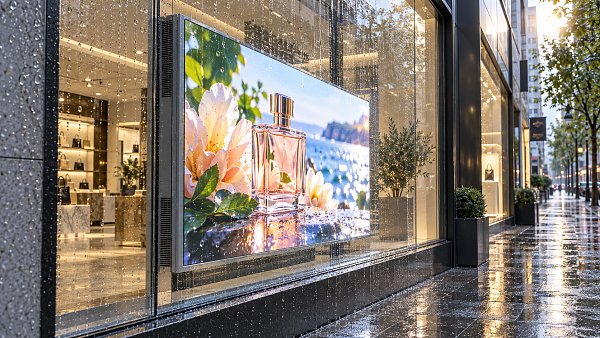
In high-visibility retail and commercial environments, an ultra bright window display can determine whether digital messaging is seen or ignored. For technical evaluators, brightness is not just a specification—it directly affects readability, energy efficiency, thermal performance, and long-term reliability in sunlit storefronts. Understanding when high brightness truly matters is essential for making smarter display investment decisions.
Across modern retail, transport-adjacent storefronts, flagship showrooms, and mixed-use commercial projects, display selection is now a cross-functional decision. Technical teams must balance luminance, operating life, heat management, compliance expectations, and total cost of ownership within a single specification process.
For organizations working across sourcing, architecture, smart retail technology, and commercial signage, the question is no longer whether digital displays belong in the window. The real issue is when an ultra bright window display delivers measurable value, and when a standard commercial panel is sufficient.
Why High Brightness Matters in Real Commercial Conditions
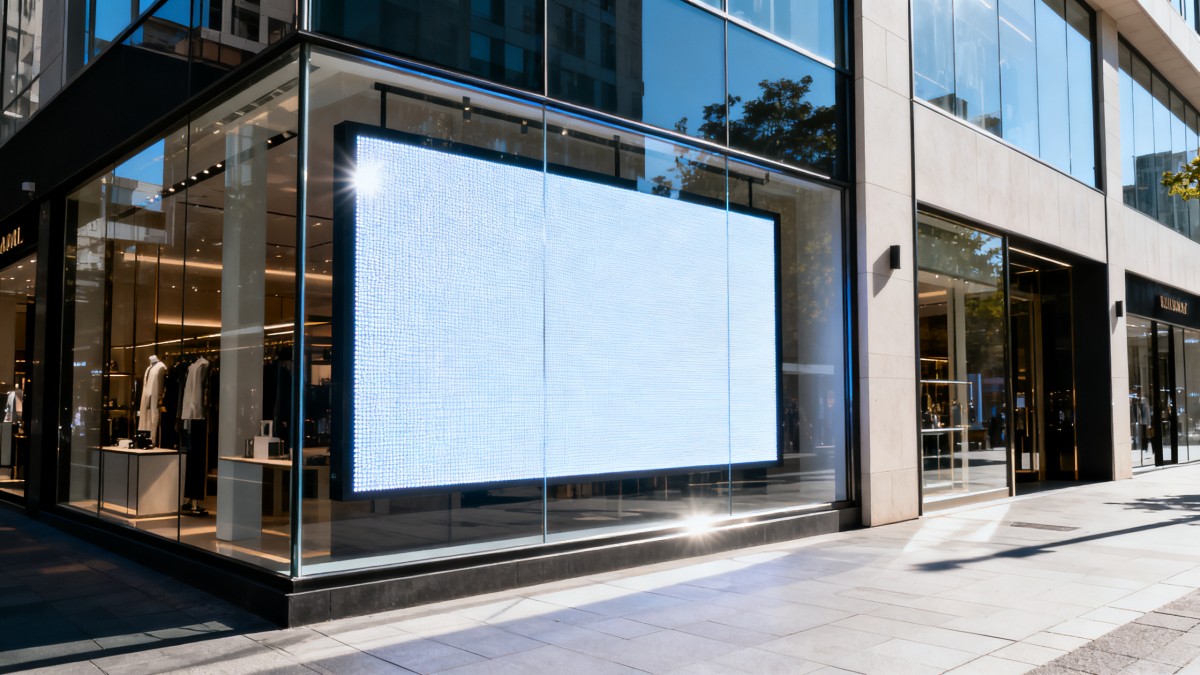
Brightness becomes critical when a display must overcome direct sunlight, reflective glazing, and long viewing distances. In many storefront environments, indoor ambient light ranges from 300 to 800 nits equivalent, while direct sun exposure through glass can create visual conditions that overwhelm lower-luminance screens.
A standard indoor screen at 350 to 700 nits may perform well in a lobby or enclosed sales floor. However, once placed behind street-facing glass, perceived contrast can collapse. This is where an ultra bright window display, often rated from 2,500 to 4,000 nits or more, starts to justify its cost.
The Difference Between Rated Brightness and Usable Visibility
Technical evaluators should separate headline brightness from real-world readability. A screen can be rated at 3,000 nits and still perform poorly if it has weak anti-reflective treatment, low contrast under glass, or aggressive thermal dimming during peak afternoon exposure.
Usable visibility depends on at least 4 linked factors: panel luminance, front glass reflectance, content color design, and installation angle. Even a 15 to 20 degree shift in mounting angle can reduce direct glare and improve message retention on busy pedestrian routes.
Typical Use Cases Where Brightness Has Direct Business Impact
- South- or west-facing retail windows exposed to 4 to 8 hours of direct sunlight
- Airport, transit hub, and street retail units with high daytime glare
- Luxury storefronts where brand visuals must remain color-accurate from 5 to 15 meters away
- Quick-service and promotional environments where messaging changes weekly or daily
In these settings, the display is not just a media device. It functions as a traffic conversion tool. If pedestrians cannot read pricing, campaign text, or product imagery within 2 to 3 seconds, the commercial value of the screen drops sharply.
When High Brightness Is Often Unnecessary
Not every site requires an ultra bright window display. Locations with recessed entrances, shaded arcades, internal mall frontages, or low-glare glazing may perform well with 700 to 1,500 nits. Overspecifying brightness in these cases can increase energy draw, heat load, and hardware cost without improving visibility.
Key Technical Criteria for Evaluating an Ultra Bright Window Display
Brightness should never be reviewed in isolation. A more effective procurement process compares at least 6 criteria together: luminance, contrast in ambient light, operating temperature, power consumption, optical treatment, and maintenance access. This approach reduces the risk of buying a bright display that underperforms after deployment.
The table below outlines a practical benchmark framework that technical evaluation teams can use during pre-qualification, tender review, or supplier comparison.
The most important conclusion is simple: a higher nit rating is meaningful only if the display can sustain it safely. Thermal throttling, fan failure, and poor enclosure ventilation can reduce a nominal 3,000-nit screen to far lower visible output during actual trading hours.
Brightness Thresholds by Storefront Condition
Technical evaluators often need quick thresholds during early design reviews. While exact values depend on glazing and orientation, a practical planning framework can save time and reduce overengineering.
- 700 to 1,000 nits: suitable for enclosed interiors and shaded frontage
- 1,500 to 2,500 nits: suitable for bright atriums and indirect daylight
- 2,500 to 3,500 nits: suitable for window-facing installations with frequent sun exposure
- 3,500 nits and above: suitable for severe glare conditions and long-distance visibility demands
Thermal Performance Is a Procurement Issue, Not Just an Engineering Detail
Behind glass, heat accumulation can exceed ambient room temperature by 10°C to 20°C during peak sun hours. That increase affects LED backlight life, image stability, and internal component stress. For chain operators deploying 20, 50, or 100 units, weak thermal design can turn into a multi-site maintenance burden.
Ask suppliers how the display handles thermal load over a full operating cycle. A useful review includes fan architecture, vent path design, sensor-based brightness adjustment, and failure alerts. These details matter more than marketing terms that do not translate into service performance.
How to Match Display Specification to Commercial Application
Choosing the right ultra bright window display requires a site-specific process. The most reliable evaluations combine environmental measurement, content strategy, and maintenance planning. This is especially relevant for G-BCE-aligned decision makers who benchmark hardware against broader retail modernization goals.
Five-Step Assessment Process for Technical Evaluators
- Measure window orientation, sun exposure, and viewing distance at 2 to 3 time slots during the day
- Review glass type, reflectivity, and any film already applied to the storefront
- Define content format: video, pricing, static promotion, product hero images, or QR-led calls to action
- Estimate operating hours, usually 8 to 16 hours daily, and align with energy policy
- Verify service access, replacement time, and expected maintenance interval
This 5-step structure helps procurement teams avoid a common mistake: selecting hardware before understanding installation physics. In practice, site conditions often influence performance more than a moderate difference in advertised specifications.
Application-Based Specification Guidance
The following comparison can support early-stage planning for retail developers, sourcing directors, and technical specifiers managing multiple commercial formats.
This comparison shows that the best ultra bright window display is not always the brightest available option. The correct match depends on duty cycle, façade orientation, visual branding requirements, and maintenance capacity across the portfolio.
Content Design Also Affects Perceived Brightness
A technically strong screen can still fail if the content is poorly optimized. Thin fonts, low-contrast color combinations, and densely packed layouts reduce visibility. In many retail windows, bold contrast, larger typography, and shorter messaging improve readability more than adding another 500 nits.
Common Risks, Cost Drivers, and Long-Term Service Considerations
An ultra bright window display is a long-term asset, not a short-term electronics purchase. Technical evaluators should review ownership cost over 3 to 5 years, including energy use, cleaning access, replacement parts, downtime, and support coverage across multiple regions.
Common Specification Mistakes
- Buying for peak brightness without checking sustained operation under heat
- Ignoring storefront glass reflectivity and relying only on panel specifications
- Using indoor service assumptions for street-exposed commercial deployment
- Overlooking maintenance access in narrow windows or custom fixture integration
These errors can lead to image washout, excessive power costs, shortened component life, or high field service frequency. For chain-scale rollouts, even a 3% to 5% increase in failure rate can significantly affect operating budgets and campaign continuity.
What to Ask Suppliers Before Approval
Supplier evaluation should cover more than data sheets. A disciplined review often includes 6 practical questions tied to installation risk and lifecycle performance.
- What is the sustained brightness after 2 to 4 hours of operation in high ambient heat?
- How is temperature monitored, and what dimming logic applies when heat thresholds are reached?
- What is the recommended service interval for filters, fans, or ventilation components?
- Can the unit integrate with remote monitoring or digital signage management platforms?
- What spare parts strategy supports cross-border or multi-site deployment?
- Which applicable standards or common international compliance expectations are supported for the target market?
Integration with Broader Commercial Modernization Goals
For organizations aligning store upgrades with smart retail strategy, display hardware should fit a larger ecosystem. That means compatibility with content scheduling, power management policy, fixture design, lighting coordination, and sustainable replacement planning rather than isolated device procurement.
This is where a benchmarking mindset becomes valuable. Evaluating displays alongside commercial furniture, POS infrastructure, signage standards, and supply chain resilience creates stronger project outcomes than choosing screens on brightness alone.
Practical Decision Framework for Technical Buyers
If the site has direct sunlight for several hours, strong street visibility requirements, and brand content that must remain legible at distance, an ultra bright window display is usually justified. If the location is shaded, recessed, or interior-facing, a mid-brightness commercial display may be the more efficient choice.
The strongest decisions come from field measurement, application matching, and lifecycle review. Brightness should be validated together with thermal control, reflectance management, service support, and operating cost. That is the standard required for modern commercial environments where visual impact and technical reliability must work together.
For commercial architects, sourcing directors, and evaluation teams seeking clearer benchmarking across smart retail technology and signage systems, G-BCE supports a more disciplined path from specification to deployment. Contact us to discuss project conditions, compare solution options, and get a tailored recommendation for your next ultra bright window display program.
News Recommendations
 How to choose an ultra bright waterproof window display for storefronts
![51a6ab95581761cc26f4318be6520c15]()
Aris Katos
Future of Carbide Coatings
 How to verify suppliers on a trade portal for global sourcing
![51a6ab95581761cc26f4318be6520c15]()
Aris Katos
Future of Carbide Coatings
 How RoHS requirements should be stated in product specifications
![51a6ab95581761cc26f4318be6520c15]()
Aris Katos
Future of Carbide Coatings
 What affects the lead time for custom retail counter displays?
![51a6ab95581761cc26f4318be6520c15]()
Aris Katos
Future of Carbide Coatings
 What consumer packaging USA importers need to verify before ordering
![51a6ab95581761cc26f4318be6520c15]()
Aris Katos
Future of Carbide Coatings
 How commercial spaces interiors shape customer dwell time
![51a6ab95581761cc26f4318be6520c15]()
Aris Katos
Future of Carbide Coatings
 How LED commercial lighting design reduces glare in retail spaces
![51a6ab95581761cc26f4318be6520c15]()
Aris Katos
Future of Carbide Coatings
 How industrial technology information improves RFID inventory accuracy
![51a6ab95581761cc26f4318be6520c15]()
Aris Katos
Future of Carbide Coatings
 When drip garden watering systems make more sense than sprinklers
![51a6ab95581761cc26f4318be6520c15]()
Aris Katos
Future of Carbide Coatings
 When category comparison improves sourcing for industrial applications
![51a6ab95581761cc26f4318be6520c15]()
Aris Katos
Future of Carbide Coatings
 Industrial application guidance for selecting the right LED lighting
![51a6ab95581761cc26f4318be6520c15]()
Aris Katos
Future of Carbide Coatings
 Which commercial architecture standards apply to European retail fit-outs?
![51a6ab95581761cc26f4318be6520c15]()
Aris Katos
Future of Carbide Coatings
 How to verify FDA requirements for maternity care products
![51a6ab95581761cc26f4318be6520c15]()
Aris Katos
Future of Carbide Coatings
 How to verify BPA-free claims for food-contact products
![51a6ab95581761cc26f4318be6520c15]()
Aris Katos
Future of Carbide Coatings
 When does a European wholesale supplier suit modular office projects?
![51a6ab95581761cc26f4318be6520c15]()
Aris Katos
Future of Carbide Coatings
 When consumer ecosystem solutions improve the in-store shopping journey
![51a6ab95581761cc26f4318be6520c15]()
Aris Katos
Future of Carbide Coatings
 How a commercial developers network can reduce site selection risk
![51a6ab95581761cc26f4318be6520c15]()
Aris Katos
Future of Carbide Coatings
 How clear purchasing specifications prevent costly supplier deviations
![51a6ab95581761cc26f4318be6520c15]()
Aris Katos
Future of Carbide Coatings
 What an ISTA drop test lab checks before your packaging ships
![51a6ab95581761cc26f4318be6520c15]()
Aris Katos
Future of Carbide Coatings
 Which commercial furniture standards apply to workplace seating?
![51a6ab95581761cc26f4318be6520c15]()
Aris Katos
Future of Carbide Coatings
 How to evaluate smart lighting module OEM compatibility before sampling
![51a6ab95581761cc26f4318be6520c15]()
Aris Katos
Future of Carbide Coatings
 How to assess whether sustainable technology delivers real impact
![51a6ab95581761cc26f4318be6520c15]()
Aris Katos
Future of Carbide Coatings
 How to assess an OEM supplier’s quality control before ordering
![51a6ab95581761cc26f4318be6520c15]()
Aris Katos
Future of Carbide Coatings
 How consumer ecosystem solutions data can improve retail personalization
![51a6ab95581761cc26f4318be6520c15]()
Aris Katos
Future of Carbide Coatings
 When does consumer packaging design justify a higher product price?
![51a6ab95581761cc26f4318be6520c15]()
Aris Katos
Future of Carbide Coatings
 Supermarket Fixture Installation: Planning Layouts, Wiring, and Handover
![51a6ab95581761cc26f4318be6520c15]()
Aris Katos
Future of Carbide Coatings
 Automated Lighting and Smart Lighting Control in Bergerac: Key Project Considerations
![51a6ab95581761cc26f4318be6520c15]()
Aris Katos
Future of Carbide Coatings
 Segment Streetlight Controllers: Choosing Control Modes for Urban Roads
![51a6ab95581761cc26f4318be6520c15]()
Aris Katos
Future of Carbide Coatings
 IEC 62471-2 Explained: How to Assess Photobiological Risks in LED Lighting
![51a6ab95581761cc26f4318be6520c15]()
Aris Katos
Future of Carbide Coatings
 Food Grade Packaging Requirements by Product Type, Temperature, and Contact Risk
![51a6ab95581761cc26f4318be6520c15]()
Aris Katos
Future of Carbide Coatings
 Food Packaging Compliance Checklist: Tests, Records, and Labeling Before Shipment
![51a6ab95581761cc26f4318be6520c15]()
Aris Katos
Future of Carbide Coatings
 NSF Food Packaging Standards: When Certification Matters for Commercial Food Use
![51a6ab95581761cc26f4318be6520c15]()
Aris Katos
Future of Carbide Coatings
 FDA Food Grade Compliance: Which Materials and Documents Do Buyers Need?
![51a6ab95581761cc26f4318be6520c15]()
Aris Katos
Future of Carbide Coatings
 What Should a Food Grade Declaration Include for Packaging Compliance?
![51a6ab95581761cc26f4318be6520c15]()
Aris Katos
Future of Carbide Coatings
 Housewares Importing: How to Evaluate Suppliers, Costs, and Compliance Risks
![51a6ab95581761cc26f4318be6520c15]()
Aris Katos
Future of Carbide Coatings
 Why Freeze-Dried Fruit Ingredients Lose Crispness—and How to Prevent It
![51a6ab95581761cc26f4318be6520c15]()
Aris Katos
Future of Carbide Coatings
 What industry veterans look for before choosing a new supplier
![51a6ab95581761cc26f4318be6520c15]()
Aris Katos
Future of Carbide Coatings
 How material fatigue can shorten the service life of retail shelving
![51a6ab95581761cc26f4318be6520c15]()
Aris Katos
Future of Carbide Coatings
 What makes a global sourcing platform reliable for supplier verification?
![51a6ab95581761cc26f4318be6520c15]()
Aris Katos
Future of Carbide Coatings