What to Avoid When Buying Retail Technology
Time
Click Count
Buying retail technology without clear benchmarks can disrupt your supply chain, weaken signage performance, and create costly gaps between POS terminals, consumer goods handling, and the demands of the modern marketplace. For operators, sourcing teams, and high-end brands, the biggest mistake is not choosing the “wrong” device on paper—it is buying systems that do not fit real workflows, integration needs, compliance expectations, and long-term operating conditions. This guide explains what to avoid when selecting retail technology, especially when sustainable packaging, durable materials, user usability, and commercial-scale performance all matter.
For most information researchers and frontline users, the core search intent behind this topic is practical risk avoidance: how to prevent expensive procurement mistakes, operational inefficiencies, and technology decisions that look advanced during a sales presentation but fail in daily use. The most valuable guidance is therefore not generic trend talk, but a clear framework for identifying warning signs before purchase, assessing fit across commercial environments, and balancing innovation with reliability, support, and measurable value.
Do Not Buy Retail Technology Before Defining the Real Use Case
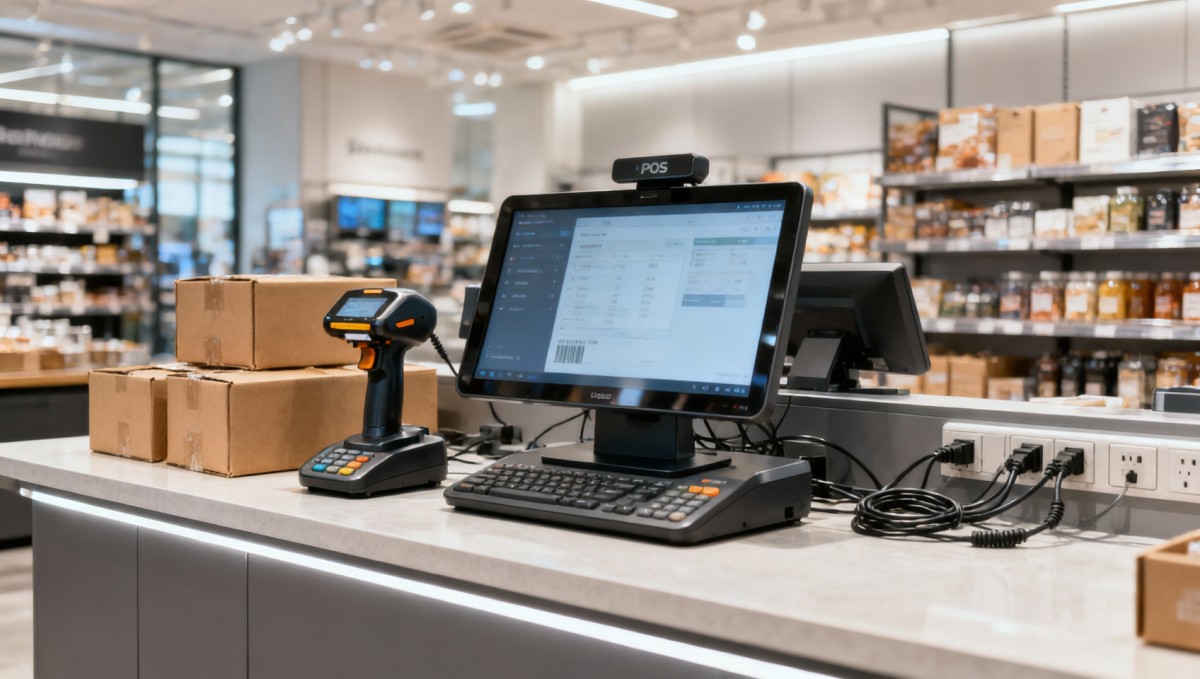
One of the most common retail technology buying mistakes is starting with product features instead of operational needs. A sleek AI-enabled POS terminal, smart signage platform, or inventory device may seem impressive, but if it does not match store traffic patterns, operator skill levels, product handling needs, or back-end system requirements, it quickly becomes a liability.
Before evaluating vendors, define how the technology will actually be used:
- Who will operate it every day?
- What tasks must it complete without failure?
- What systems must it connect to?
- What environmental conditions will it face?
- What business result should it improve—speed, accuracy, visibility, customer experience, or labor efficiency?
For example, a sourcing team may select a smart checkout system based on advanced analytics, while store staff mainly need faster scanning, simpler training, and fewer hardware interruptions. If the primary workflow is not improved, the technology purchase does not solve the real problem. Retailers should avoid buying solutions designed for “innovation optics” rather than operational fit.
Avoid Systems That Cannot Integrate Across the Retail Ecosystem
Retail technology should never be evaluated as a standalone product. In modern commercial spaces, performance depends on how well systems connect across POS terminals, signage, inventory tools, packaging workflows, consumer goods handling, and reporting platforms. A device may function well on its own but still create major inefficiencies if it does not communicate effectively with the rest of the ecosystem.
This is especially critical for businesses managing multiple suppliers, regional standards, or mixed hardware environments. Poor integration can lead to:
- Duplicate data entry
- Inaccurate stock visibility
- Disconnected customer transaction records
- Delays between store operations and supply chain updates
- Inconsistent digital signage or pricing information
When buying retail technology, avoid vague vendor promises such as “easy integration” without proof. Ask specific questions:
- Which ERP, POS, WMS, CRM, or signage systems are already supported?
- Are open APIs available?
- What implementation resources are required?
- Can the system scale across multiple store formats or countries?
- How are software updates handled without disrupting operations?
Technology that fails to integrate often creates hidden costs that exceed the purchase price. In many cases, compatibility and interoperability matter more than headline features.
Do Not Ignore Durability, Compliance, and Commercial-Grade Benchmarks
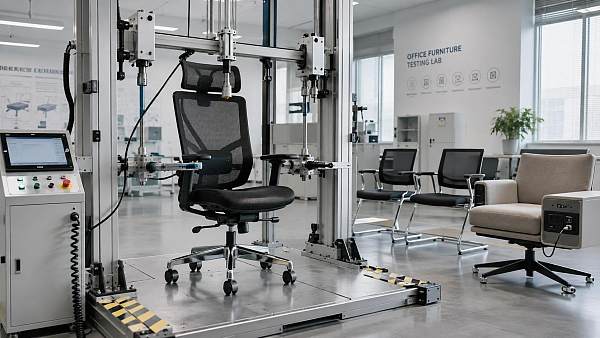
Another major mistake is buying retail technology that looks suitable in a demo environment but is not built for real commercial conditions. High-touch retail hardware must withstand frequent use, operator error, cleaning routines, shifting layouts, and long operating hours. This is where technical benchmarking matters.
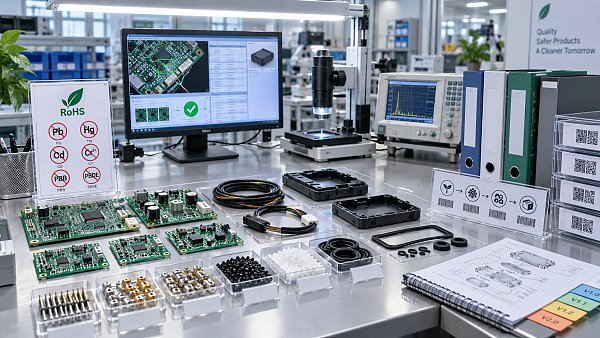
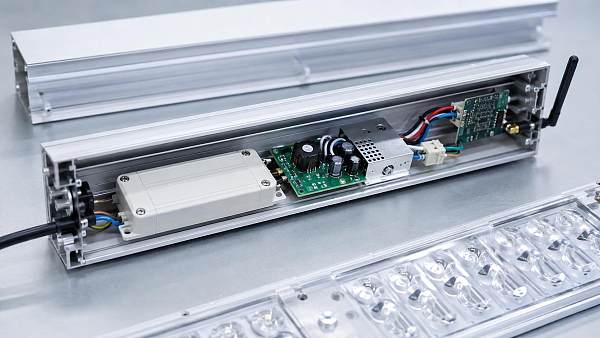
Buyers should avoid products that lack evidence of durability, material quality, and compliance with relevant international standards. Depending on the category, this can include benchmarks such as UL, CE, and other applicable safety or performance requirements. In broader commercial environments, compatibility with furniture systems, lighting infrastructure, fixture dimensions, and ergonomic demands may also affect long-term usability.
Watch for these warning signs:
- No clear testing data on hardware lifespan
- Unverified certifications or unclear compliance documentation
- Materials that are difficult to clean, maintain, or replace
- Poor thermal performance or instability in continuous-use settings
- Weak mounting, cable management, or fixture compatibility
This is particularly important for chain operators and commercial developers, where a technology failure in one site can become a network-wide issue. Reliable retail technology should be judged not only by software features, but by structural performance in real-world retail environments.
Avoid Overbuying Features That Users Will Not Actually Use
Many buyers assume that more functions mean better value. In practice, feature overload often reduces usability, slows adoption, increases training time, and makes routine tasks harder for staff. For operators and execution teams, simplicity is often more valuable than complexity.
Retail technology should support fast, repeatable work. If staff must navigate unnecessary menus, ignore half the dashboard, or rely on workarounds to complete basic tasks, the system is too complicated for its purpose. This can affect checkout speed, stock management, customer service, and overall confidence in the technology.
To avoid this problem, evaluate technology from the user perspective:
- How many steps are required for core tasks?
- Can new staff learn it quickly?
- Is the interface clear in busy environments?
- Does it reduce manual work or add new operational friction?
- Are alerts, analytics, and controls relevant to daily decisions?
For many retail environments, the best system is not the one with the most advanced feature list. It is the one that frontline teams can use accurately, consistently, and efficiently under real store conditions.
Do Not Underestimate Total Cost of Ownership
A low upfront price can hide expensive long-term problems. One of the most important things to avoid when buying retail technology is focusing only on unit cost rather than total cost of ownership. This includes implementation, maintenance, downtime risk, software licensing, accessories, upgrades, support, replacement cycles, and training.
Technology procurement decisions should consider the full lifecycle:
- Initial hardware and software cost
- Installation and integration expense
- Staff onboarding and retraining
- Repair turnaround time
- Availability of spare parts
- Subscription or recurring platform fees
- Expected service life in commercial use
A cheaper system that fails often, lacks support, or cannot scale across locations will usually cost more than a higher-quality solution with stable performance. For decision-makers, this is where benchmarking and supplier transparency become essential. Ask vendors for deployment references, service commitments, and realistic performance expectations—not just promotional ROI claims.
Avoid Vendors That Cannot Support Long-Term Operations
Retail technology is not a one-time purchase; it is an operational dependency. If a vendor cannot provide consistent updates, documentation, parts availability, user training, and technical support, even a well-designed system may become risky over time.
This concern becomes even more important in international sourcing, where lead times, regional compliance, language support, and after-sales service quality can vary significantly. Buyers should avoid suppliers that cannot clearly explain:
- Support response times
- Warranty coverage and exclusions
- Software update policy
- Regional deployment capability
- Replacement part logistics
- End-of-life transition planning
Strong support matters not only for technical teams but also for store operators who depend on continuity. A system that goes down during peak trading hours affects revenue, customer trust, and staff productivity immediately. Vendor stability should therefore be treated as part of the product itself.
Do Not Overlook Sustainability and Material Impact
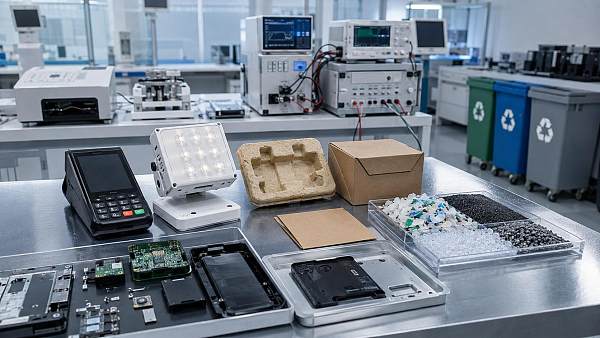
In modern retail environments, sustainability is no longer separate from technology selection. Buyers increasingly need systems that align with sustainable materials strategies, lower waste, and support more responsible consumer goods and packaging operations. Yet many procurement decisions still treat sustainability as a secondary marketing claim instead of a practical specification.
When evaluating retail technology, avoid products with unclear environmental positioning, short replacement cycles, or poor material transparency. This is especially relevant where retail hardware intersects with packaging stations, display infrastructure, logistics handling, and branded commercial interiors.
Useful questions include:
- Are materials durable enough to reduce replacement frequency?
- Can components be repaired or upgraded instead of discarded?
- Does the system support packaging efficiency or waste reduction?
- Are there credible environmental claims backed by data?
- Will the product fit long-term store modernization plans?
Sustainability should be connected to resilience, lifecycle value, and operational quality—not just image. The best retail technology decisions support both performance and responsible commercial development.
How to Make a Better Retail Technology Buying Decision
If you want to avoid costly mistakes, use a structured evaluation process. The most effective buying decisions usually come from cross-functional review, not isolated procurement. Include input from operations, store users, IT, facilities, sourcing, and where relevant, branding or packaging teams.
A practical decision framework should include:
- Use-case definition: identify the exact operational problem to solve.
- System mapping: review all required integrations and dependencies.
- Benchmark validation: check certifications, durability, material quality, and compliance.
- User testing: observe how frontline staff interact with the system.
- Lifecycle costing: compare total ownership cost, not just purchase price.
- Vendor assessment: verify support quality, deployment capability, and long-term reliability.
- Pilot deployment: test in a live commercial environment before scaling.
This approach helps buyers move from feature-based selection to evidence-based selection. For businesses modernizing commercial spaces, it also reduces the risk of fragmented technology choices that undermine customer experience, supply chain visibility, or store efficiency.
When buying retail technology, the biggest things to avoid are unclear use cases, poor integration, weak commercial durability, unnecessary complexity, hidden lifecycle costs, weak vendor support, and superficial sustainability claims. For information researchers, operators, and sourcing teams, the right decision is rarely about choosing the most advanced-looking system. It is about selecting technology that performs reliably within the broader retail ecosystem, supports real users, and delivers long-term value across commercial operations. The safest investment is a solution that has been benchmarked, tested in context, and aligned with how modern retail actually works.
News Recommendations
 Which industry categories offer the strongest export potential in Latin America?
![51a6ab95581761cc26f4318be6520c15]()
Aris Katos
Future of Carbide Coatings
 How to choose an ultra bright waterproof window display for storefronts
![51a6ab95581761cc26f4318be6520c15]()
Aris Katos
Future of Carbide Coatings
 How to verify suppliers on a trade portal for global sourcing
![51a6ab95581761cc26f4318be6520c15]()
Aris Katos
Future of Carbide Coatings
 How RoHS requirements should be stated in product specifications
![51a6ab95581761cc26f4318be6520c15]()
Aris Katos
Future of Carbide Coatings
 What affects the lead time for custom retail counter displays?
![51a6ab95581761cc26f4318be6520c15]()
Aris Katos
Future of Carbide Coatings
 What consumer packaging USA importers need to verify before ordering
![51a6ab95581761cc26f4318be6520c15]()
Aris Katos
Future of Carbide Coatings
 How commercial spaces interiors shape customer dwell time
![51a6ab95581761cc26f4318be6520c15]()
Aris Katos
Future of Carbide Coatings
 How LED commercial lighting design reduces glare in retail spaces
![51a6ab95581761cc26f4318be6520c15]()
Aris Katos
Future of Carbide Coatings
 How industrial technology information improves RFID inventory accuracy
![51a6ab95581761cc26f4318be6520c15]()
Aris Katos
Future of Carbide Coatings
 When drip garden watering systems make more sense than sprinklers
![51a6ab95581761cc26f4318be6520c15]()
Aris Katos
Future of Carbide Coatings
 When category comparison improves sourcing for industrial applications
![51a6ab95581761cc26f4318be6520c15]()
Aris Katos
Future of Carbide Coatings
 Industrial application guidance for selecting the right LED lighting
![51a6ab95581761cc26f4318be6520c15]()
Aris Katos
Future of Carbide Coatings
 Which commercial architecture standards apply to European retail fit-outs?
![51a6ab95581761cc26f4318be6520c15]()
Aris Katos
Future of Carbide Coatings
 How to verify FDA requirements for maternity care products
![51a6ab95581761cc26f4318be6520c15]()
Aris Katos
Future of Carbide Coatings
 How to verify BPA-free claims for food-contact products
![51a6ab95581761cc26f4318be6520c15]()
Aris Katos
Future of Carbide Coatings
 When does a European wholesale supplier suit modular office projects?
![51a6ab95581761cc26f4318be6520c15]()
Aris Katos
Future of Carbide Coatings
 When consumer ecosystem solutions improve the in-store shopping journey
![51a6ab95581761cc26f4318be6520c15]()
Aris Katos
Future of Carbide Coatings
 How a commercial developers network can reduce site selection risk
![51a6ab95581761cc26f4318be6520c15]()
Aris Katos
Future of Carbide Coatings
 How clear purchasing specifications prevent costly supplier deviations
![51a6ab95581761cc26f4318be6520c15]()
Aris Katos
Future of Carbide Coatings
 What an ISTA drop test lab checks before your packaging ships
![51a6ab95581761cc26f4318be6520c15]()
Aris Katos
Future of Carbide Coatings
 Which commercial furniture standards apply to workplace seating?
![51a6ab95581761cc26f4318be6520c15]()
Aris Katos
Future of Carbide Coatings
 How to evaluate smart lighting module OEM compatibility before sampling
![51a6ab95581761cc26f4318be6520c15]()
Aris Katos
Future of Carbide Coatings
 How to assess whether sustainable technology delivers real impact
![51a6ab95581761cc26f4318be6520c15]()
Aris Katos
Future of Carbide Coatings
 How to assess an OEM supplier’s quality control before ordering
![51a6ab95581761cc26f4318be6520c15]()
Aris Katos
Future of Carbide Coatings
 How consumer ecosystem solutions data can improve retail personalization
![51a6ab95581761cc26f4318be6520c15]()
Aris Katos
Future of Carbide Coatings
 When does consumer packaging design justify a higher product price?
![51a6ab95581761cc26f4318be6520c15]()
Aris Katos
Future of Carbide Coatings
 Supermarket Fixture Installation: Planning Layouts, Wiring, and Handover
![51a6ab95581761cc26f4318be6520c15]()
Aris Katos
Future of Carbide Coatings
 Automated Lighting and Smart Lighting Control in Bergerac: Key Project Considerations
![51a6ab95581761cc26f4318be6520c15]()
Aris Katos
Future of Carbide Coatings
 Segment Streetlight Controllers: Choosing Control Modes for Urban Roads
![51a6ab95581761cc26f4318be6520c15]()
Aris Katos
Future of Carbide Coatings
 IEC 62471-2 Explained: How to Assess Photobiological Risks in LED Lighting
![51a6ab95581761cc26f4318be6520c15]()
Aris Katos
Future of Carbide Coatings
 Food Grade Packaging Requirements by Product Type, Temperature, and Contact Risk
![51a6ab95581761cc26f4318be6520c15]()
Aris Katos
Future of Carbide Coatings
 Food Packaging Compliance Checklist: Tests, Records, and Labeling Before Shipment
![51a6ab95581761cc26f4318be6520c15]()
Aris Katos
Future of Carbide Coatings
 NSF Food Packaging Standards: When Certification Matters for Commercial Food Use
![51a6ab95581761cc26f4318be6520c15]()
Aris Katos
Future of Carbide Coatings
 FDA Food Grade Compliance: Which Materials and Documents Do Buyers Need?
![51a6ab95581761cc26f4318be6520c15]()
Aris Katos
Future of Carbide Coatings
 What Should a Food Grade Declaration Include for Packaging Compliance?
![51a6ab95581761cc26f4318be6520c15]()
Aris Katos
Future of Carbide Coatings
 Housewares Importing: How to Evaluate Suppliers, Costs, and Compliance Risks
![51a6ab95581761cc26f4318be6520c15]()
Aris Katos
Future of Carbide Coatings
 Why Freeze-Dried Fruit Ingredients Lose Crispness—and How to Prevent It
![51a6ab95581761cc26f4318be6520c15]()
Aris Katos
Future of Carbide Coatings
 What industry veterans look for before choosing a new supplier
![51a6ab95581761cc26f4318be6520c15]()
Aris Katos
Future of Carbide Coatings
 How material fatigue can shorten the service life of retail shelving
![51a6ab95581761cc26f4318be6520c15]()
Aris Katos
Future of Carbide Coatings