How to read UGR standards for office lighting
Time
Click Count
Understanding unified glare rating (UGR) standards is essential when evaluating office lighting for comfort, compliance, and productivity. For researchers, operators, buyers, and commercial decision-makers, comparing color rendering index (CRI) data and lumen output per watt benchmarks helps turn technical specs into practical sourcing insights. This guide explains how to read UGR values clearly while connecting them to today’s smart lighting ecosystem.
In commercial fit-out projects, office lighting is rarely judged by brightness alone. A fixture may deliver 110 lm/W and a CRI above 80, yet still create visual discomfort if glare is poorly controlled. That is why UGR appears in lighting datasheets, tender documents, and workplace lighting specifications across multinational offices, coworking floors, and corporate headquarters.
For sourcing teams and technical evaluators working across global supply chains, UGR should be read alongside mounting height, luminaire optics, workstation layout, and smart control compatibility. On platforms such as G-BCE, the value of benchmarking lies in turning a single glare number into a more complete procurement decision that balances user comfort, compliance risk, and lifecycle performance.
What UGR Means in Office Lighting Specifications
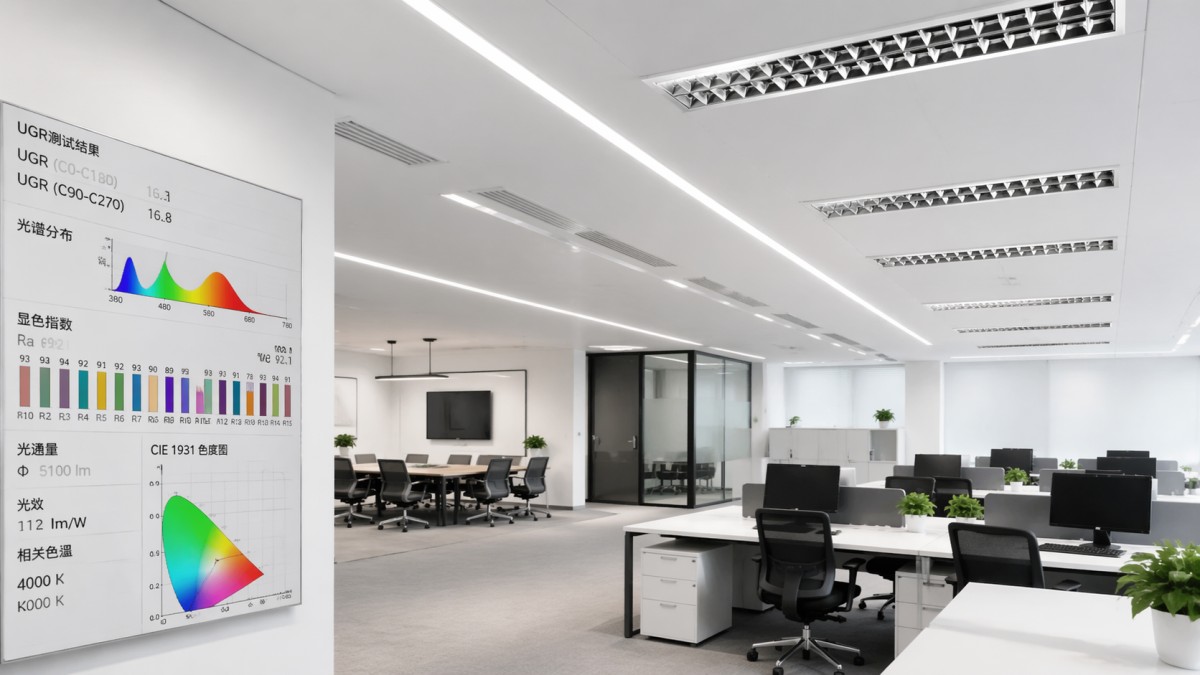
Unified Glare Rating, or UGR, is a standardized method used to estimate the discomfort glare produced by lighting installations in indoor environments. In practical terms, it helps specifiers understand whether a lighting scheme will feel visually acceptable for people performing tasks such as reading, typing, screen work, drawing, or routine collaboration over 6–10 hours per day.
UGR values are usually shown as whole numbers such as 16, 19, 22, or 25. The lower the number, the lower the perceived glare. In office applications, UGR <19 is widely treated as the key threshold for spaces with display screen equipment. Reception zones, corridors, or informal circulation areas may tolerate higher levels, but focused desk work generally requires tighter glare control.
A common mistake is to treat UGR as a standalone product property. In reality, UGR is influenced by the entire installation context: room dimensions, reflectance of ceilings and walls, observer position, luminaire luminous area, and light distribution. The same fitting can perform differently in a 2.7 m ceiling office than in a 3.5 m open-plan workspace with darker finishes.
For procurement teams, this means a datasheet claiming “UGR<19” is useful but not sufficient without knowing the test assumptions. A reliable technical comparison should check if the reported value is linked to a standard room index, typical viewing direction, and realistic mounting arrangement. Otherwise, apparently similar products may not deliver the same user experience after installation.
Why the UGR scale matters
The scale is logarithmic in use rather than intuitive in appearance, so a difference of 3 points can be meaningful in perceived comfort. For example, moving from UGR 22 to UGR 19 may substantially improve workstation satisfaction, especially in spaces where staff spend more than 70% of the day looking at monitors. Lower glare can also reduce complaints about eye strain, reflected brightness, and visual fatigue.
Typical office reference values
The table below summarizes how UGR values are commonly interpreted in workplace planning. These are not universal legal rules for every market, but they are widely used benchmarks during office lighting assessment and commercial sourcing.
The key takeaway is simple: for most workstation-based offices, UGR<19 is the working benchmark. However, buyers should confirm whether that value reflects real project geometry rather than a marketing shortcut. When benchmarking suppliers, asking for glare calculation files or application notes can prevent expensive redesigns later in the fit-out cycle.
How to Read UGR on a Datasheet Without Misinterpreting It
Lighting datasheets often present UGR in compact form, and this is where confusion starts. You may see statements such as “UGR<19,” “UGR 16 at 65°,” or a multi-column glare table linked to room dimensions. The correct interpretation depends on whether the manufacturer is reporting a generalized threshold, an angular glare control feature, or a project-dependent calculation condition.
A credible reading process should include at least 4 checks: the application type, the optical design, the installation assumptions, and the relationship between glare and output. If a luminaire achieves very low glare by sacrificing too much lumen package, additional fittings may be needed, which can affect project cost, energy density, and ceiling coordination.
It is also important to compare UGR with CRI, correlated color temperature, and efficacy. For example, a panel with UGR<19, CRI 80+, 4000 K, and 100–130 lm/W may suit general office deployment. A premium workspace may target CRI 90 with tighter optical control, but decision-makers must weigh the impact on price, lead time, and visual consistency across large installations of 200 to 2,000 fixtures.
Operators should also remember that UGR is not the same as flicker control, uniformity, or vertical illuminance. Good office lighting usually requires several performance layers to work together. When glare is optimized but luminance contrast remains poor, users may still experience discomfort, especially in hybrid workspaces where people alternate between paper review, video calls, and collaborative zones.
A practical 5-step reading method
- Check whether the listed UGR value is intended for office use or for generic indoor use.
- Verify the luminaire type, such as recessed panel, linear suspended, louvered troffer, or downlight.
- Review installation assumptions, including mounting height, spacing, and room reflectance.
- Compare glare performance with lumen output, wattage, and efficacy instead of reading UGR in isolation.
- Ask for a lighting calculation or sample layout if the project includes more than 50 workstations or mixed-use office zones.
Common datasheet expressions and what they mean
The table below helps non-lighting specialists decode language commonly found in technical brochures and tender schedules.
In sourcing practice, the safest path is to treat UGR as one part of a technical package. A product that advertises low glare but provides weak application documentation can create risk during bidding, compliance review, or final acceptance. G-BCE-style benchmarking is valuable because it aligns glare claims with broader commercial metrics, from efficacy and materials to installation suitability and long-term serviceability.
How UGR Connects to CRI, Lumen Output, and Smart Office Performance
Office lighting decisions are strongest when UGR is considered alongside the metrics people actually experience every day. CRI affects how accurately surfaces, documents, packaging samples, and branding colors are seen. Lumen output and lux levels influence task visibility. Efficacy determines operational cost. Smart controls affect how light changes across time, occupancy, and daylight conditions. UGR sits inside this wider performance ecosystem.
For many commercial offices, a practical baseline may include UGR<19, CRI 80 or higher, 300–500 lux on desks, and system efficacy in the 90–130 lm/W range. More design-sensitive environments, such as executive floors, brand studios, or premium meeting suites, may push CRI to 90 and use more refined optics to control luminance at critical viewing angles.
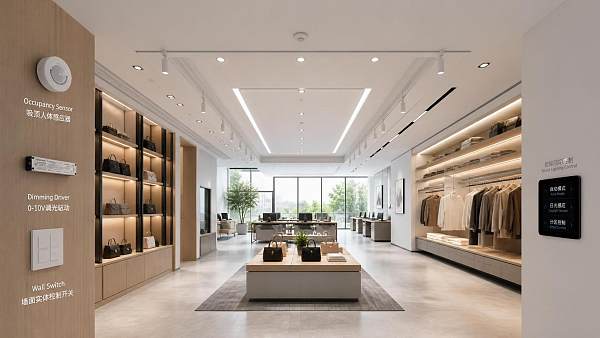
Smart controls can improve the effective comfort of a space, but they do not replace proper glare design. Dimming, occupancy sensing, daylight harvesting, and tunable white strategies may reduce over-lighting during certain periods, yet a fixture with poor optical control can still produce discomfort. This is especially relevant in open offices with mixed daylight exposure from east- and west-facing façades.
For business evaluators, the procurement question is not simply whether a product meets one metric. It is whether the full lighting package supports productivity, space quality, and long-term operational efficiency across 3 to 7 years of service life before major refurbishment. That is why benchmark repositories and technical comparison workflows remain important in modern commercial sourcing.
Recommended specification balance for common office scenarios
The following table shows how UGR should be balanced with adjacent performance indicators in different commercial office settings.
This comparison shows that a single office project often needs more than one lighting specification. A procurement package that separates workstation, collaboration, and circulation zones usually delivers better performance than forcing one fixture family into every area. In cross-border sourcing, this zoning logic also helps buyers compare equivalent alternatives from multiple manufacturers with fewer specification gaps.
Where smart lighting adds value
- Occupancy controls can reduce unnecessary burn hours by adjusting output when desks are unused for 10–20 minutes.
- Daylight-linked dimming supports perimeter zones where natural light varies throughout the day.
- Scene controls improve meeting rooms, training suites, and hybrid presentation areas with 3–5 repeatable presets.
- Monitoring platforms can help facility teams identify over-lit areas, driver faults, and maintenance priorities without manual inspection of every fixture.
Even so, smart capability should be evaluated as an enhancement layer, not a substitute for proper optical engineering. If the fixture starts with poor glare control, software will not fully correct user discomfort.
Procurement Checklist: How Buyers and Evaluators Should Compare Office Lighting Options
In B2B procurement, office lighting choices often pass through 4 groups: researchers, technical users, purchasing teams, and commercial approvers. Each group reads UGR differently. Researchers look for standard alignment. Operators focus on usability and maintenance. Buyers examine total cost and lead time. Business evaluators look at risk, consistency, and supplier responsiveness across multi-site rollouts.
The biggest purchasing error is to compare only unit price and wattage. A lower-cost fixture with poor glare control can trigger post-installation complaints, desk relocations, re-aiming labor, or selective replacement in high-visibility zones. On a project with 500 fixtures, even a 5% rework rate can create avoidable disruption and additional site coordination costs.
A stronger sourcing method is to request a structured comparison package. This should cover UGR declaration method, optical design, lumen maintenance assumptions, driver brand or quality tier, smart control interface, warranty period, and delivery schedule. In many international procurement cycles, the difference between a 2-week and 6-week replenishment timeline can directly affect phased opening plans.
For commercial developers and chain operators, repeatability matters as much as performance. If the first pilot floor performs well but the second shipment has noticeable variation in diffuser quality or color temperature, the user experience becomes inconsistent. That is why benchmarking repositories such as G-BCE are useful: they support more disciplined side-by-side evaluation across manufacturing sources and performance categories.
A practical buyer checklist
- Confirm whether UGR data is generic or based on defined room conditions.
- Check if the product meets the intended office task level, such as 300–500 lux for general desk work.
- Review CRI, CCT, efficacy, and control compatibility as a linked package.
- Request installation references such as recessed depth, suspension height, and spacing guidance.
- Assess service factors including spare availability, maintenance access, and replacement lead time.
- For projects above 1,000 square meters, ask for a calculation file or mock-up review before approval.
Decision matrix for commercial office sourcing
The matrix below can help procurement teams convert technical lighting data into approval criteria that are easier to compare across vendors.
Using a matrix like this keeps the conversation grounded in measurable trade-offs. Instead of debating whether one option is simply “better,” teams can identify which product is more suitable for a given office typology, budget bracket, and deployment timeline.
Common Mistakes, Implementation Risks, and FAQ for Office Lighting Projects
Even experienced project teams can misread glare-related information when moving from design intent to procurement and installation. One frequent issue is assuming that all luminaires labeled for offices deliver equal glare performance. In reality, differences in diffuser texture, cell geometry, beam spread, and fixture placement can produce visible changes in comfort, especially in large open-plan floors with consistent desk rows.
Another risk is focusing on lighting hardware while ignoring the room surface palette. Very dark ceilings, glossy desktops, or low-reflectance wall finishes can alter the visual balance of the space. A scheme that performs well in a neutral test room may feel harsher in a branded corporate interior with black ceilings and high-contrast finishes. This is why sample review and layout validation are worthwhile before full rollout.
Installation accuracy also matters. Suspended fixtures hung 150–300 mm lower than planned, or recessed fittings placed off-grid relative to workstation lines, can shift viewing angles and increase perceived glare. For projects with 3 or more office typologies on one floor plate, a zone-by-zone review is often more effective than applying a single lighting rule everywhere.
The best practice is to combine product benchmarking with application validation. That means checking the datasheet, reviewing the layout, confirming sample quality, and aligning the final purchase specification with the actual user tasks in the space. This approach supports fewer complaints after occupancy and a more predictable acceptance process.
Frequent mistakes to avoid
- Selecting by wattage only and ignoring UGR, CRI, and optics.
- Accepting “UGR<19” without checking the reporting conditions.
- Using one luminaire type for workstation, meeting, and transition areas with no zoning logic.
- Skipping mock-up reviews in projects where visual comfort is business-critical.
- Ignoring maintenance realities such as driver access, spare parts, and cleaning frequency every 6–12 months.
FAQ
Is UGR<19 always mandatory for offices?
Not for every area. It is the typical target for desk-based spaces with screens, but circulation zones, lounges, and some reception areas may accept UGR up to 22. The right threshold depends on task duration, viewing direction, and user sensitivity.
Can I compare UGR values from different brands directly?
Only if the reporting basis is comparable. Check room assumptions, installation method, and optical format. Direct comparison becomes more reliable when supported by calculation files or equivalent application notes.
Does lower UGR always mean a better fixture?
Not necessarily. Very low glare may come with lower output, more fixtures, or a different visual appearance. The better option is the one that balances glare control, lux targets, efficacy, aesthetics, and project budget.
How long does office lighting evaluation usually take in procurement?
For a standard commercial project, initial comparison may take 3–7 working days. Sample review and layout validation can add 1–2 weeks, while international sourcing with multiple vendors may extend the process to 3–6 weeks depending on documentation quality and approval workflow.
Reading UGR standards correctly helps office lighting move from a vague comfort issue to a measurable commercial decision. When UGR is evaluated together with CRI, efficacy, lumen output, control options, and installation conditions, researchers, operators, buyers, and business evaluators can make more reliable choices for modern workplaces.
G-BCE supports this decision process by connecting technical benchmarking with real commercial application needs across lighting, interiors, and smart workplace infrastructure. If you are comparing office lighting solutions, planning a new fit-out, or reviewing supplier options across global manufacturing sources, contact us to get a tailored benchmarking perspective, discuss product details, or explore broader commercial space solutions.
News Recommendations
 How to choose an ultra bright waterproof window display for storefronts
![51a6ab95581761cc26f4318be6520c15]()
Aris Katos
Future of Carbide Coatings
 How to verify suppliers on a trade portal for global sourcing
![51a6ab95581761cc26f4318be6520c15]()
Aris Katos
Future of Carbide Coatings
 How RoHS requirements should be stated in product specifications
![51a6ab95581761cc26f4318be6520c15]()
Aris Katos
Future of Carbide Coatings
 What affects the lead time for custom retail counter displays?
![51a6ab95581761cc26f4318be6520c15]()
Aris Katos
Future of Carbide Coatings
 What consumer packaging USA importers need to verify before ordering
![51a6ab95581761cc26f4318be6520c15]()
Aris Katos
Future of Carbide Coatings
 How commercial spaces interiors shape customer dwell time
![51a6ab95581761cc26f4318be6520c15]()
Aris Katos
Future of Carbide Coatings
 How LED commercial lighting design reduces glare in retail spaces
![51a6ab95581761cc26f4318be6520c15]()
Aris Katos
Future of Carbide Coatings
 How industrial technology information improves RFID inventory accuracy
![51a6ab95581761cc26f4318be6520c15]()
Aris Katos
Future of Carbide Coatings
 When drip garden watering systems make more sense than sprinklers
![51a6ab95581761cc26f4318be6520c15]()
Aris Katos
Future of Carbide Coatings
 When category comparison improves sourcing for industrial applications
![51a6ab95581761cc26f4318be6520c15]()
Aris Katos
Future of Carbide Coatings
 Industrial application guidance for selecting the right LED lighting
![51a6ab95581761cc26f4318be6520c15]()
Aris Katos
Future of Carbide Coatings
 Which commercial architecture standards apply to European retail fit-outs?
![51a6ab95581761cc26f4318be6520c15]()
Aris Katos
Future of Carbide Coatings
 How to verify FDA requirements for maternity care products
![51a6ab95581761cc26f4318be6520c15]()
Aris Katos
Future of Carbide Coatings
 How to verify BPA-free claims for food-contact products
![51a6ab95581761cc26f4318be6520c15]()
Aris Katos
Future of Carbide Coatings
 When does a European wholesale supplier suit modular office projects?
![51a6ab95581761cc26f4318be6520c15]()
Aris Katos
Future of Carbide Coatings
 When consumer ecosystem solutions improve the in-store shopping journey
![51a6ab95581761cc26f4318be6520c15]()
Aris Katos
Future of Carbide Coatings
 How a commercial developers network can reduce site selection risk
![51a6ab95581761cc26f4318be6520c15]()
Aris Katos
Future of Carbide Coatings
 How clear purchasing specifications prevent costly supplier deviations
![51a6ab95581761cc26f4318be6520c15]()
Aris Katos
Future of Carbide Coatings
 What an ISTA drop test lab checks before your packaging ships
![51a6ab95581761cc26f4318be6520c15]()
Aris Katos
Future of Carbide Coatings
 Which commercial furniture standards apply to workplace seating?
![51a6ab95581761cc26f4318be6520c15]()
Aris Katos
Future of Carbide Coatings
 How to evaluate smart lighting module OEM compatibility before sampling
![51a6ab95581761cc26f4318be6520c15]()
Aris Katos
Future of Carbide Coatings
 How to assess whether sustainable technology delivers real impact
![51a6ab95581761cc26f4318be6520c15]()
Aris Katos
Future of Carbide Coatings
 How to assess an OEM supplier’s quality control before ordering
![51a6ab95581761cc26f4318be6520c15]()
Aris Katos
Future of Carbide Coatings
 How consumer ecosystem solutions data can improve retail personalization
![51a6ab95581761cc26f4318be6520c15]()
Aris Katos
Future of Carbide Coatings
 When does consumer packaging design justify a higher product price?
![51a6ab95581761cc26f4318be6520c15]()
Aris Katos
Future of Carbide Coatings
 Supermarket Fixture Installation: Planning Layouts, Wiring, and Handover
![51a6ab95581761cc26f4318be6520c15]()
Aris Katos
Future of Carbide Coatings
 Automated Lighting and Smart Lighting Control in Bergerac: Key Project Considerations
![51a6ab95581761cc26f4318be6520c15]()
Aris Katos
Future of Carbide Coatings
 Segment Streetlight Controllers: Choosing Control Modes for Urban Roads
![51a6ab95581761cc26f4318be6520c15]()
Aris Katos
Future of Carbide Coatings
 IEC 62471-2 Explained: How to Assess Photobiological Risks in LED Lighting
![51a6ab95581761cc26f4318be6520c15]()
Aris Katos
Future of Carbide Coatings
 Food Grade Packaging Requirements by Product Type, Temperature, and Contact Risk
![51a6ab95581761cc26f4318be6520c15]()
Aris Katos
Future of Carbide Coatings
 Food Packaging Compliance Checklist: Tests, Records, and Labeling Before Shipment
![51a6ab95581761cc26f4318be6520c15]()
Aris Katos
Future of Carbide Coatings
 NSF Food Packaging Standards: When Certification Matters for Commercial Food Use
![51a6ab95581761cc26f4318be6520c15]()
Aris Katos
Future of Carbide Coatings
 FDA Food Grade Compliance: Which Materials and Documents Do Buyers Need?
![51a6ab95581761cc26f4318be6520c15]()
Aris Katos
Future of Carbide Coatings
 What Should a Food Grade Declaration Include for Packaging Compliance?
![51a6ab95581761cc26f4318be6520c15]()
Aris Katos
Future of Carbide Coatings
 Housewares Importing: How to Evaluate Suppliers, Costs, and Compliance Risks
![51a6ab95581761cc26f4318be6520c15]()
Aris Katos
Future of Carbide Coatings
 Why Freeze-Dried Fruit Ingredients Lose Crispness—and How to Prevent It
![51a6ab95581761cc26f4318be6520c15]()
Aris Katos
Future of Carbide Coatings
 What industry veterans look for before choosing a new supplier
![51a6ab95581761cc26f4318be6520c15]()
Aris Katos
Future of Carbide Coatings
 How material fatigue can shorten the service life of retail shelving
![51a6ab95581761cc26f4318be6520c15]()
Aris Katos
Future of Carbide Coatings
 What makes a global sourcing platform reliable for supplier verification?
![51a6ab95581761cc26f4318be6520c15]()
Aris Katos
Future of Carbide Coatings