Ergonomic Office Design That Reduces Fatigue in Hybrid Workspaces
Time
Click Count
Ergonomic office design is no longer optional in hybrid workspaces where users shift between home and office routines. A well-planned environment can reduce fatigue, support posture, and improve daily focus without sacrificing flexibility. For operators and end users alike, understanding how layout, furniture, lighting, and technology work together is the first step toward creating healthier, more productive spaces.
People searching for ergonomic office design in hybrid settings usually want practical answers to one question: what changes actually reduce daily tiredness when work happens across more than one location? They are not looking for abstract design theory. They want to know which elements matter most, what causes fatigue in flexible offices, and how to improve comfort without creating a rigid or expensive setup.
For users and operators, the most valuable guidance is specific and usable. That includes workstation dimensions, seating support, monitor placement, lighting quality, movement patterns, acoustic control, and simple ways to adapt shared spaces for different body types and tasks. In hybrid workspaces, the best ergonomic office design is not the one with the most features. It is the one that makes healthy posture, visual comfort, and efficient movement easy every day.
Why fatigue becomes worse in hybrid workspaces
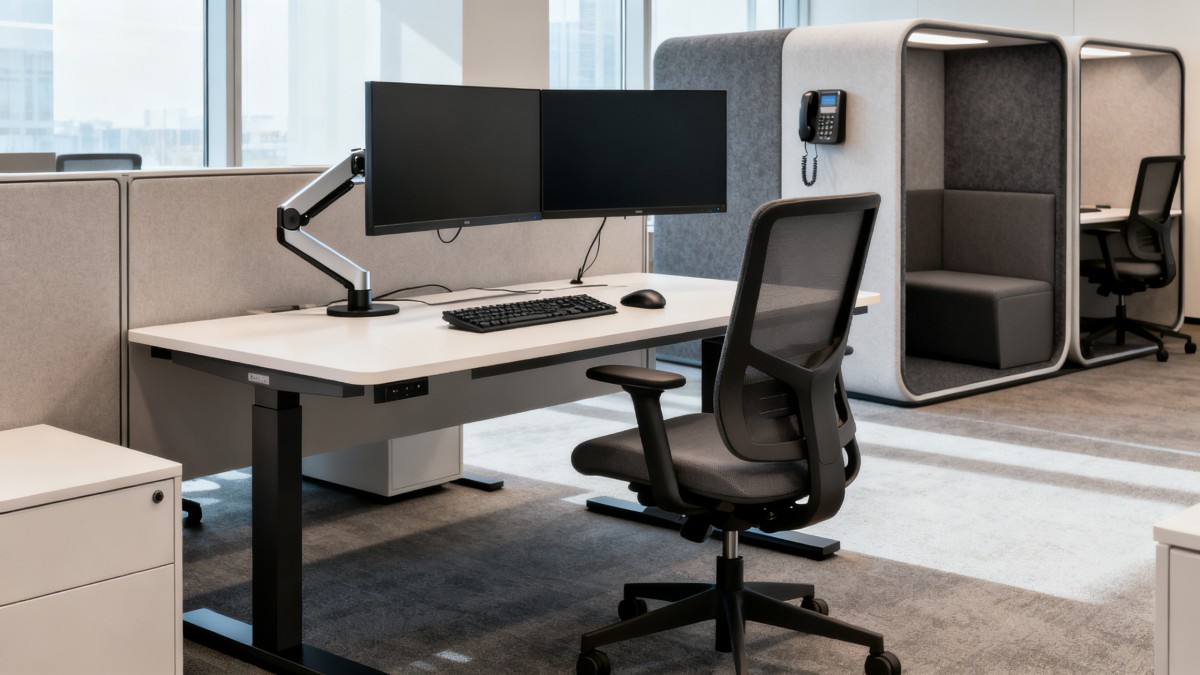
Hybrid work promises flexibility, but it often increases physical strain in subtle ways. Many users move between a carefully arranged desk one day and a poorly adjusted shared workstation the next. That inconsistency is one of the main reasons fatigue builds up. The body has to repeatedly adapt to different chair heights, screen distances, lighting conditions, and keyboard positions.
Unlike a traditional office where a user may fine-tune one setup over time, hybrid environments often involve hot-desking, temporary meeting areas, touchdown spaces, and home offices that were never designed for full workdays. This creates repeated stress on the neck, shoulders, lower back, wrists, and eyes. Even when discomfort seems minor, it can slowly reduce attention span, increase error rates, and make the workday feel longer than it should.
Fatigue in these spaces is not only physical. Poor acoustics, screen glare, awkward movement paths, and lack of task zoning also create cognitive fatigue. When users constantly adjust to noise, search for power outlets, or struggle to find a comfortable place for focused work, mental energy drains faster. A strong ergonomic office design approach addresses both body mechanics and environmental friction.
What users care about most in an ergonomic office design
Most users do not describe their needs in technical ergonomic language. They ask simpler questions: Why does my back hurt after lunch? Why do my eyes feel tired after video calls? Why is it harder to focus in the office than at home? Why do I feel drained even when I am sitting most of the day? These questions reveal what ergonomic design must solve.
The first concern is sustained comfort. Users want a space that feels supportive for a full day, not just for the first hour. The second is adjustability. In hybrid offices, one fixed setup rarely works for everyone. The third is ease of use. If furniture or controls are complicated, most people will not adjust them correctly. The fourth is consistency across locations. If the office supports healthy posture but the home setup does not, fatigue still accumulates across the week.
That is why effective ergonomic office design should be judged by everyday experience. Can users sit and stand without strain? Can they see the screen clearly without leaning forward? Can they change posture easily? Can they work in focused, collaborative, and virtual modes without moving into awkward positions? Practical comfort is the real benchmark.
The workstation elements that reduce fatigue the fastest
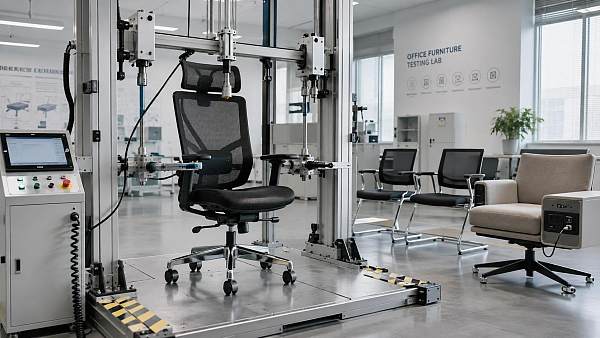
If the goal is to reduce fatigue quickly, a few workstation elements deliver the biggest return. The first is chair support. A chair should allow feet to rest flat, knees to stay near a right angle, and the lower back to remain supported. Adjustable seat height, backrest tension, lumbar support, and armrests matter because they let different users create a neutral posture instead of adapting their body to the chair.
The second high-impact factor is desk height. A work surface that is too high lifts the shoulders and increases tension in the upper back. One that is too low encourages slouching. Height-adjustable desks are especially useful in hybrid spaces because they help multiple users find a better fit quickly. They also support posture variation, which is critical because no single posture remains ideal all day.
Monitor placement is another major issue. The top of the screen should generally sit at or slightly below eye level, with enough distance to prevent leaning forward. In laptop-based work, this is often the weakest point. Users place laptops too low and too close, forcing neck flexion for hours. A laptop stand combined with an external keyboard and mouse can significantly reduce upper-body strain.
Input devices also affect fatigue more than many users expect. A keyboard placed too far away encourages reaching and rounded shoulders. A mouse positioned too high or too wide increases wrist and shoulder tension. The best ergonomic office design keeps frequently used tools within easy reach so the body stays relaxed during repetitive tasks.
How layout influences movement, posture, and concentration
Ergonomics is not only about furniture. Layout has a direct effect on energy levels. In a hybrid office, users switch between focused tasks, online meetings, informal collaboration, and short visits. If the space forces them into awkward transitions, fatigue rises. For example, when quiet workstations sit next to noisy circulation paths, users tense up and lose concentration. When power access is limited, they adopt poor postures just to stay connected.
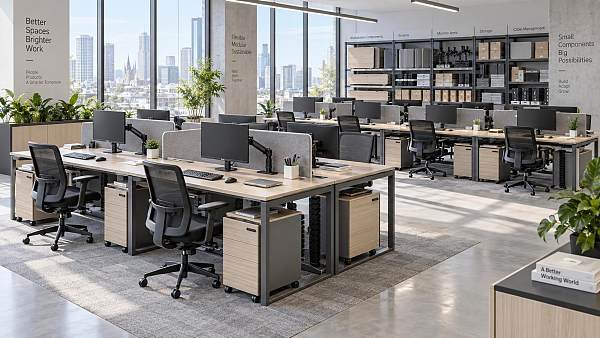
A better layout separates tasks by physical and sensory need. Focus zones should support low distraction, stable seating, and good visual comfort. Collaboration zones should allow movement and conversation without disturbing others. Video-call areas need proper lighting, acoustic control, and camera-friendly backgrounds so users do not twist or relocate repeatedly to look and sound professional.
Circulation also matters. When users can move naturally between desks, booths, meeting spaces, and support areas, posture variation happens more easily throughout the day. This reduces static loading on the body. Good ergonomic office design encourages movement without making essential tasks inconvenient. The goal is not to make people walk more for the sake of it, but to remove barriers that keep them stuck in one position for too long.
Lighting and visual ergonomics are often underestimated
Eye strain is one of the most common complaints in hybrid work, especially for users who spend long hours on laptops and video calls. Poor lighting causes squinting, headaches, and reduced focus even when the furniture is acceptable. Glare from windows, high-contrast overhead lighting, and screens positioned directly in front of bright light sources all contribute to fatigue.
Visual ergonomics starts with balanced ambient light. Users need enough illumination to read and type comfortably, but not so much that screens become reflective. Adjustable task lighting can help where individual needs vary. In shared offices, this flexibility is important because age, vision, and task type all influence lighting preference.
Screen quality and placement are just as important. Users should not need to tilt their head or narrow their eyes to work comfortably. Simple changes such as reorienting desks relative to windows, using matte screens, and adjusting brightness to match ambient conditions can reduce strain quickly. In many workplaces, these low-cost changes produce noticeable improvements before any major furniture investment is made.
Acoustics and sensory overload affect fatigue too
When people think about ergonomics, they usually picture chairs and desks, but sound is a major part of physical and mental comfort. In hybrid offices, users often move from silent home environments to busy shared spaces with conversations, phone calls, footsteps, and equipment noise. This sensory shift can be exhausting, especially for tasks that require concentration.
Poor acoustics force users to remain alert even when they are sitting still. That constant low-level vigilance increases stress and makes them feel more tired by the end of the day. It also changes posture. People may hunch forward during calls, cover one ear, or move into makeshift spaces that were not designed for work simply to hear better.
Effective ergonomic office design includes acoustic zoning, sound-absorbing materials, enclosed booths for calls, and policies that match space type. A workstation can be physically comfortable yet still be fatiguing if the surrounding environment is noisy and unpredictable. Reducing sensory overload helps users preserve attention and maintain a calmer physical state.
What makes shared and hot-desk environments ergonomically difficult
Shared desks create a special challenge because the setup changes from one user to another. If adjustment takes too long or requires too much effort, most people will skip it. That means even high-quality furniture can fail in practice. In hybrid spaces, usability is as important as specification.
For hot-desking to work well, adjustments must be intuitive and fast. Controls should be clearly labeled. Chairs should have a logical range of movement. Monitor arms should reposition smoothly. Essential accessories such as footrests, laptop risers, and external input devices should be easy to find rather than locked away in storage. A good ergonomic office design reduces the gap between what is available and what users will actually use.
Clear setup guidance also helps. A simple visual checklist at each station can remind users how to adjust seat height, screen level, and desk position in less than a minute. This is especially valuable for occasional office users who do not remember ergonomic best practices. The easier the process, the more consistent the results across the workforce.
How to improve home-office and office consistency
One reason fatigue persists in hybrid work is that improvements happen in only one location. A user may have an adjustable chair in the office but work from a kitchen chair at home two days a week. The body experiences both environments, so discomfort does not disappear. Consistency matters more than perfection in one place.
Organizations and operators can support better consistency by identifying the minimum ergonomic standard users should have in every location. That standard might include a supportive chair, external keyboard and mouse, proper screen elevation, adequate lighting, and a stable work surface. Not every home setup can match corporate office specifications, but a baseline can still prevent the worst physical stress.
Users also benefit from learning how to translate ergonomic principles across settings. If they understand neutral wrist posture, screen height, and the value of posture variation, they can make better choices even with limited resources. The most effective ergonomic office design strategy extends beyond the office footprint and supports the full rhythm of hybrid work.
How users can judge whether a workspace is truly ergonomic
Many spaces look modern without actually reducing fatigue. Users need simple ways to tell the difference. A truly ergonomic setup should allow the body to remain relaxed during work, not rigid or braced. After adjusting the chair and screen, users should be able to keep shoulders down, elbows close to the body, feet supported, and eyes level with the main viewing area.
Another useful test is duration. If discomfort appears within one to two hours, something is likely misaligned. Common warning signs include leaning forward to read the screen, crossing legs because the chair is too high, lifting shoulders while typing, or shifting constantly to escape pressure points. These are not personal habits alone. They are often signals of design mismatch.
Users should also assess whether the space supports different work modes without causing new strain. Can they take a video call without twisting toward a power source? Can they stand for part of the day? Is there a quiet place for concentrated work? Does lighting remain comfortable from morning to afternoon? Ergonomic office design is successful when comfort remains stable across tasks, not only at a single desk position.
A practical roadmap for reducing fatigue without overcomplicating the space
For most hybrid workplaces, the best approach is to prioritize high-impact improvements first. Start with chairs, screen positioning, desk height, and lighting. These affect the largest number of users and solve the most common sources of fatigue. Next, review layout and acoustic conditions, especially in areas used for focused work and video calls.
Then make adaptation easier. Provide clear setup instructions, accessible accessories, and furniture that users can adjust quickly. If a space is shared, test it with real users rather than assuming specification sheets tell the whole story. Ease, speed, and consistency are central to success in hybrid settings.
Finally, treat ergonomics as an ongoing operational issue, not a one-time fit-out decision. User needs change with technology, work patterns, and occupancy levels. Regular feedback helps identify where fatigue is still happening and which adjustments create measurable benefits. In this sense, ergonomic office design is both a design choice and a performance strategy.
Conclusion: better ergonomic office design creates healthier hybrid workdays
In hybrid workspaces, fatigue usually comes from inconsistency, poor adjustability, visual strain, noise, and layouts that ignore how people actually work. The most effective ergonomic office design does not rely on one premium product or one fixed rule. It creates a system in which furniture, lighting, acoustics, layout, and user behavior support each other.
For users and operators, the key takeaway is clear: reducing fatigue starts with practical alignment between the body and the workspace across every work setting. When desks adjust easily, screens sit at the right height, lighting supports visual comfort, and the environment matches the task, people feel the difference quickly. They work with less strain, better focus, and more sustainable energy throughout the day.
That is the real value of ergonomic office design in hybrid environments. It turns flexibility from a source of discomfort into a healthier, more productive way to work.
News Recommendations
 How to choose an ultra bright waterproof window display for storefronts
![51a6ab95581761cc26f4318be6520c15]()
Aris Katos
Future of Carbide Coatings
 How to verify suppliers on a trade portal for global sourcing
![51a6ab95581761cc26f4318be6520c15]()
Aris Katos
Future of Carbide Coatings
 How RoHS requirements should be stated in product specifications
![51a6ab95581761cc26f4318be6520c15]()
Aris Katos
Future of Carbide Coatings
 What affects the lead time for custom retail counter displays?
![51a6ab95581761cc26f4318be6520c15]()
Aris Katos
Future of Carbide Coatings
 What consumer packaging USA importers need to verify before ordering
![51a6ab95581761cc26f4318be6520c15]()
Aris Katos
Future of Carbide Coatings
 How commercial spaces interiors shape customer dwell time
![51a6ab95581761cc26f4318be6520c15]()
Aris Katos
Future of Carbide Coatings
 How LED commercial lighting design reduces glare in retail spaces
![51a6ab95581761cc26f4318be6520c15]()
Aris Katos
Future of Carbide Coatings
 How industrial technology information improves RFID inventory accuracy
![51a6ab95581761cc26f4318be6520c15]()
Aris Katos
Future of Carbide Coatings
 When drip garden watering systems make more sense than sprinklers
![51a6ab95581761cc26f4318be6520c15]()
Aris Katos
Future of Carbide Coatings
 When category comparison improves sourcing for industrial applications
![51a6ab95581761cc26f4318be6520c15]()
Aris Katos
Future of Carbide Coatings
 Industrial application guidance for selecting the right LED lighting
![51a6ab95581761cc26f4318be6520c15]()
Aris Katos
Future of Carbide Coatings
 Which commercial architecture standards apply to European retail fit-outs?
![51a6ab95581761cc26f4318be6520c15]()
Aris Katos
Future of Carbide Coatings
 How to verify FDA requirements for maternity care products
![51a6ab95581761cc26f4318be6520c15]()
Aris Katos
Future of Carbide Coatings
 How to verify BPA-free claims for food-contact products
![51a6ab95581761cc26f4318be6520c15]()
Aris Katos
Future of Carbide Coatings
 When does a European wholesale supplier suit modular office projects?
![51a6ab95581761cc26f4318be6520c15]()
Aris Katos
Future of Carbide Coatings
 When consumer ecosystem solutions improve the in-store shopping journey
![51a6ab95581761cc26f4318be6520c15]()
Aris Katos
Future of Carbide Coatings
 How a commercial developers network can reduce site selection risk
![51a6ab95581761cc26f4318be6520c15]()
Aris Katos
Future of Carbide Coatings
 How clear purchasing specifications prevent costly supplier deviations
![51a6ab95581761cc26f4318be6520c15]()
Aris Katos
Future of Carbide Coatings
 What an ISTA drop test lab checks before your packaging ships
![51a6ab95581761cc26f4318be6520c15]()
Aris Katos
Future of Carbide Coatings
 Which commercial furniture standards apply to workplace seating?
![51a6ab95581761cc26f4318be6520c15]()
Aris Katos
Future of Carbide Coatings
 How to evaluate smart lighting module OEM compatibility before sampling
![51a6ab95581761cc26f4318be6520c15]()
Aris Katos
Future of Carbide Coatings
 How to assess whether sustainable technology delivers real impact
![51a6ab95581761cc26f4318be6520c15]()
Aris Katos
Future of Carbide Coatings
 How to assess an OEM supplier’s quality control before ordering
![51a6ab95581761cc26f4318be6520c15]()
Aris Katos
Future of Carbide Coatings
 How consumer ecosystem solutions data can improve retail personalization
![51a6ab95581761cc26f4318be6520c15]()
Aris Katos
Future of Carbide Coatings
 When does consumer packaging design justify a higher product price?
![51a6ab95581761cc26f4318be6520c15]()
Aris Katos
Future of Carbide Coatings
 Supermarket Fixture Installation: Planning Layouts, Wiring, and Handover
![51a6ab95581761cc26f4318be6520c15]()
Aris Katos
Future of Carbide Coatings
 Automated Lighting and Smart Lighting Control in Bergerac: Key Project Considerations
![51a6ab95581761cc26f4318be6520c15]()
Aris Katos
Future of Carbide Coatings
 Segment Streetlight Controllers: Choosing Control Modes for Urban Roads
![51a6ab95581761cc26f4318be6520c15]()
Aris Katos
Future of Carbide Coatings
 IEC 62471-2 Explained: How to Assess Photobiological Risks in LED Lighting
![51a6ab95581761cc26f4318be6520c15]()
Aris Katos
Future of Carbide Coatings
 Food Grade Packaging Requirements by Product Type, Temperature, and Contact Risk
![51a6ab95581761cc26f4318be6520c15]()
Aris Katos
Future of Carbide Coatings
 Food Packaging Compliance Checklist: Tests, Records, and Labeling Before Shipment
![51a6ab95581761cc26f4318be6520c15]()
Aris Katos
Future of Carbide Coatings
 NSF Food Packaging Standards: When Certification Matters for Commercial Food Use
![51a6ab95581761cc26f4318be6520c15]()
Aris Katos
Future of Carbide Coatings
 FDA Food Grade Compliance: Which Materials and Documents Do Buyers Need?
![51a6ab95581761cc26f4318be6520c15]()
Aris Katos
Future of Carbide Coatings
 What Should a Food Grade Declaration Include for Packaging Compliance?
![51a6ab95581761cc26f4318be6520c15]()
Aris Katos
Future of Carbide Coatings
 Housewares Importing: How to Evaluate Suppliers, Costs, and Compliance Risks
![51a6ab95581761cc26f4318be6520c15]()
Aris Katos
Future of Carbide Coatings
 Why Freeze-Dried Fruit Ingredients Lose Crispness—and How to Prevent It
![51a6ab95581761cc26f4318be6520c15]()
Aris Katos
Future of Carbide Coatings
 What industry veterans look for before choosing a new supplier
![51a6ab95581761cc26f4318be6520c15]()
Aris Katos
Future of Carbide Coatings
 How material fatigue can shorten the service life of retail shelving
![51a6ab95581761cc26f4318be6520c15]()
Aris Katos
Future of Carbide Coatings
 What makes a global sourcing platform reliable for supplier verification?
![51a6ab95581761cc26f4318be6520c15]()
Aris Katos
Future of Carbide Coatings