OEM Consumer Electronics Quick Installation Guide: Common Setup Mistakes
Time
Click Count
OEM Consumer Electronics Quick Installation Guide: Common Setup Mistakes

This OEM consumer electronics quick installation guide helps prevent the setup errors that quietly create the biggest problems later.
In fast retail, office, and service environments, installation speed matters, but accuracy matters more.
A device can power on and still be installed badly.
That is usually where avoidable failures begin.
From recent deployment patterns, the most common mistakes are not advanced technical issues.
They are basic oversights involving power, firmware, placement, cable routing, and compatibility checks.
This OEM consumer electronics quick installation guide focuses on those practical weak points.
The goal is simple: get equipment running correctly the first time, with fewer support calls and less downtime.
Why quick installations go wrong
A rushed setup often hides small issues that grow under daily use.
Commercial teams may install display units, smart terminals, speakers, chargers, or connected accessories in batches.
When that happens, assumptions replace verification.
One connector seems standard, one adapter looks close enough, or one software version feels acceptable.
Those shortcuts are exactly what this OEM consumer electronics quick installation guide is designed to catch early.
In practice, setup quality affects four things immediately:
- Device stability during normal operation
- Safety for users and nearby equipment
- Performance consistency across locations
- Long-term maintenance cost and failure rate
A fast install only works when the process is repeatable and checked.
Mistake 1: Skipping the pre-installation check
Many failures start before the device is even turned on.
The first step in any OEM consumer electronics quick installation guide should be a short inspection routine.
Check the model number, region specification, included accessories, and visible housing condition.
Also confirm the power rating, port type, and installation surface.
If one component is missing or mismatched, the rest of the installation becomes unreliable.
A short checklist prevents that:
- Verify product label and intended market standard
- Inspect ports, cables, brackets, and adapters
- Confirm installation location is clean and dry
- Review quick-start notes and safety warnings
This takes minutes, but it saves hours later.
Mistake 2: Using the wrong power setup
Power issues are among the most frequent causes of unstable installation.
This part of the OEM consumer electronics quick installation guide deserves extra attention.
A device may appear to work with an incorrect adapter, then fail under load.
Voltage mismatch, unstable outlets, poor grounding, or overloaded strips can damage internal components gradually.
That risk is higher in mixed-use spaces where lighting, signage, POS systems, and chargers share the same circuit.
Before startup, confirm these points:
If the power source is uncertain, stop and validate it first.
Mistake 3: Ignoring firmware and compatibility checks
Hardware installation is only half of the job.
A complete OEM consumer electronics quick installation guide must also include firmware and system compatibility verification.
A device can mount correctly, boot normally, and still fail to pair, sync, display, or transmit data.
This usually comes from outdated firmware, unsupported apps, or missing drivers.
The issue becomes more visible in smart retail and connected consumer setups.
For example, a screen may not communicate correctly with a media controller, or a scanner may not map commands properly.
Before final deployment, check:
- Firmware version against supplier guidance
- Operating system support
- Network protocol and Bluetooth or Wi-Fi requirements
- Port standards such as USB-C, HDMI, or Ethernet
This is where technical benchmarking matters.
Platforms like G-BCE are useful because they connect installation practice with broader compliance and performance expectations.
Mistake 4: Poor placement and ventilation
Placement is often treated as a cosmetic detail.
In reality, it is a core installation decision.
An effective OEM consumer electronics quick installation guide should explain where not to place a device, not only where it can fit.
Blocked vents, direct sunlight, heat from nearby hardware, and unstable mounting surfaces all affect reliability.
In compact commercial settings, overheating is a common hidden cause of random shutdowns.
Good placement usually means:
- Enough airflow around the housing
- Distance from moisture and heat sources
- Stable wall, counter, or rack support
- Easy access for service and cable checks
If servicing requires disassembly of half the station, the placement was not planned well.
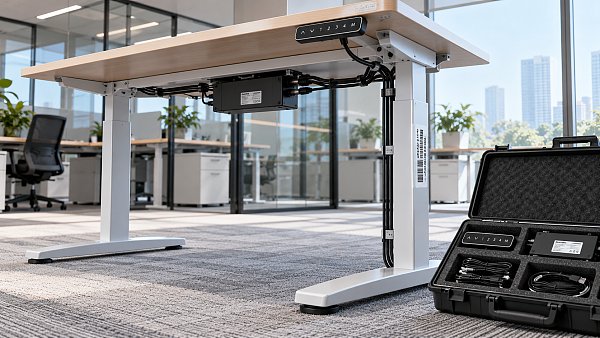
Mistake 5: Weak cable management and port handling
Messy cable routing is more than a visual issue.
It creates strain on ports, causes accidental unplugging, and complicates troubleshooting.
A practical OEM consumer electronics quick installation guide should always include cable discipline.
This matters especially for shared counters, kiosk backs, and mobile workstations.
Repeated bending near connectors shortens cable life and can loosen ports over time.
Use a simple handling standard:
- Route power and data lines separately when possible
- Leave slight slack near each connector
- Avoid sharp bends and crushed cable paths
- Label lines in multi-device installations
That small discipline makes later maintenance far easier.
Mistake 6: Finishing installation without testing real use
A startup screen is not proof of a successful installation.
That is one of the most useful reminders in any OEM consumer electronics quick installation guide.
The final step should always simulate actual use.
If it is a display, test brightness, input switching, and signal stability.
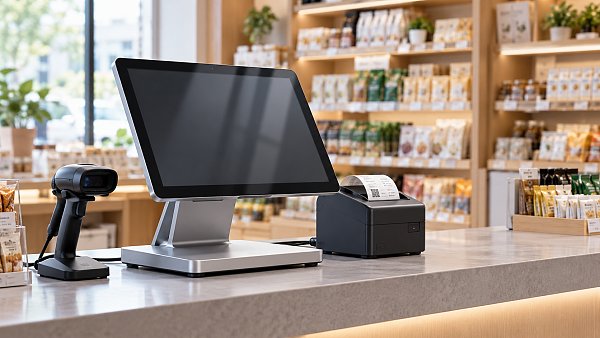
If it is a POS device, test transaction flow, scanner response, and network continuity.
If it is an audio or charging unit, test performance under normal peak conditions.
A short post-installation test should cover:
- Power cycle behavior
- Connectivity stability
- Heat and noise during operation
- Core function response time
- User safety and physical stability
Without this step, installation errors stay hidden until operations are already affected.
A simple installation workflow that holds up
The best OEM consumer electronics quick installation guide is one people can actually follow under time pressure.
A practical workflow looks like this:
- Inspect model, accessories, and physical condition
- Validate power source and adapter match
- Check firmware, drivers, and system compatibility
- Mount the unit with airflow and service access in mind
- Route and secure cables correctly
- Run a real operational test before handover
This sequence works across many product categories because it addresses the most common failure points first.
Final takeaway
A strong OEM consumer electronics quick installation guide is not about adding complexity.
It is about removing preventable errors before they affect uptime, safety, or product life.
The recurring pattern is clear.
Most setup mistakes come from skipped checks, not from difficult hardware.
When installation teams verify power, compatibility, placement, cabling, and live performance, failure rates drop quickly.
For organizations working across consumer goods, smart retail technology, and commercial environments, that discipline scales well.
Use this OEM consumer electronics quick installation guide as a working standard, then refine it with product-specific benchmarks and field feedback.
That is how quick installation becomes dependable installation.
News Recommendations
 How to verify Zigbee compatibility when sourcing lighting sensors
![51a6ab95581761cc26f4318be6520c15]()
Aris Katos
Future of Carbide Coatings
 How do packaging customization options affect minimum order quantities in Europe?
![51a6ab95581761cc26f4318be6520c15]()
Aris Katos
Future of Carbide Coatings
 Transom to Acquire Cree LED in Commercial Lighting Ownership Change
![51a6ab95581761cc26f4318be6520c15]()
Aris Katos
Future of Carbide Coatings
 How to plan customer flow in commercial design planning
![51a6ab95581761cc26f4318be6520c15]()
Aris Katos
Future of Carbide Coatings
 USTR Urged to Permanently Suspend Fees on China-Linked Ships
![51a6ab95581761cc26f4318be6520c15]()
Aris Katos
Future of Carbide Coatings
 How to choose comparable stores for retail benchmarking
![51a6ab95581761cc26f4318be6520c15]()
Aris Katos
Future of Carbide Coatings
 How does anchoring affect modular building wind load resistance?
![51a6ab95581761cc26f4318be6520c15]()
Aris Katos
Future of Carbide Coatings
 Amazon Raises European FBA Surcharge to 2% in Ten Markets From November 2
![51a6ab95581761cc26f4318be6520c15]()
Aris Katos
Future of Carbide Coatings
 How to verify a BPA-free test report for baby products
![51a6ab95581761cc26f4318be6520c15]()
Aris Katos
Future of Carbide Coatings
 China's Mandatory Classroom Lighting Standard GB 7793-2025 Takes Effect November 1
![51a6ab95581761cc26f4318be6520c15]()
Aris Katos
Future of Carbide Coatings
 How order volume affects the price of wholesale poly mailers
![51a6ab95581761cc26f4318be6520c15]()
Aris Katos
Future of Carbide Coatings
 US Imposes 50% Tariff on Certain Canadian PET Resin Imports
![51a6ab95581761cc26f4318be6520c15]()
Aris Katos
Future of Carbide Coatings
 How to read the maximum ratings in a semiconductor datasheet
![51a6ab95581761cc26f4318be6520c15]()
Aris Katos
Future of Carbide Coatings
 University of Maryland Develops Bio-Based Packaging to Extend Avocado and Cucumber Shelf Life
![51a6ab95581761cc26f4318be6520c15]()
Aris Katos
Future of Carbide Coatings
 How to verify a cookware manufacturer's induction compatibility claims
![51a6ab95581761cc26f4318be6520c15]()
Aris Katos
Future of Carbide Coatings
 Omdia Forecasts 11.6% Annual Growth in LED Display Revenue Through 2030
![51a6ab95581761cc26f4318be6520c15]()
Aris Katos
Future of Carbide Coatings
 How to verify a pulp molding packaging factory's production capacity
![51a6ab95581761cc26f4318be6520c15]()
Aris Katos
Future of Carbide Coatings
 Curion Survey: Half of Consumers Frustrated by Sustainable Packaging
![51a6ab95581761cc26f4318be6520c15]()
Aris Katos
Future of Carbide Coatings
 How to assess the credibility of market insight content
![51a6ab95581761cc26f4318be6520c15]()
Aris Katos
Future of Carbide Coatings
 US Removes 50% Additional Tariff on Selected Canadian Packaging Products
![51a6ab95581761cc26f4318be6520c15]()
Aris Katos
Future of Carbide Coatings
 Will a waterproof dimmable LED driver work with your existing dimmer?
![51a6ab95581761cc26f4318be6520c15]()
Aris Katos
Future of Carbide Coatings
 Charter Next Generation Raises Film PCR Use 30%, Advances Food-Grade Applications
![51a6ab95581761cc26f4318be6520c15]()
Aris Katos
Future of Carbide Coatings
 How to choose a dog harness and leash for a dog that pulls hard
![51a6ab95581761cc26f4318be6520c15]()
Aris Katos
Future of Carbide Coatings
 How to respect local customs when negotiating with overseas suppliers
![51a6ab95581761cc26f4318be6520c15]()
Aris Katos
Future of Carbide Coatings
 RFID Recycling Challenges Bring Paper-Based and Chipless Tags Into Focus
![51a6ab95581761cc26f4318be6520c15]()
Aris Katos
Future of Carbide Coatings
 How to choose commercial lighting for offices that reduces glare
![51a6ab95581761cc26f4318be6520c15]()
Aris Katos
Future of Carbide Coatings
 Queue Launches Fully Automated Robotic Pharmacy Kiosk for 30-Second Dispensing
![51a6ab95581761cc26f4318be6520c15]()
Aris Katos
Future of Carbide Coatings
 Can your supermarket store fixtures supplier meet your opening date?
![51a6ab95581761cc26f4318be6520c15]()
Aris Katos
Future of Carbide Coatings
 Shopify POS UI Extensions 2026-10 Adds Virtual Lists and Custom Row Templates
![51a6ab95581761cc26f4318be6520c15]()
Aris Katos
Future of Carbide Coatings
 How to assess smart office furniture suppliers’ North American support
![51a6ab95581761cc26f4318be6520c15]()
Aris Katos
Future of Carbide Coatings
 Aqara Launches Smart Lighting Range to Advance AI Spatial Intelligence
![51a6ab95581761cc26f4318be6520c15]()
Aris Katos
Future of Carbide Coatings
 How to assess demand forecasts in a lighting intelligence report
![51a6ab95581761cc26f4318be6520c15]()
Aris Katos
Future of Carbide Coatings
 Billerud推出PharmaKraft纤维基医药包装材料
![51a6ab95581761cc26f4318be6520c15]()
Aris Katos
Future of Carbide Coatings
 How to assess supplier reliability in global supply chain sourcing
![51a6ab95581761cc26f4318be6520c15]()
Aris Katos
Future of Carbide Coatings
 Omdia Forecasts 11.6% CAGR for Global LED Video Display Market in 2026–2030
![51a6ab95581761cc26f4318be6520c15]()
Aris Katos
Future of Carbide Coatings
 How to verify an LFGB testing laboratory's accreditation scope
![51a6ab95581761cc26f4318be6520c15]()
Aris Katos
Future of Carbide Coatings
 How to assess a workplace interior supplier's installation scope
![51a6ab95581761cc26f4318be6520c15]()
Aris Katos
Future of Carbide Coatings
 What records are needed for an ISO 9001 furniture factory audit?
![51a6ab95581761cc26f4318be6520c15]()
Aris Katos
Future of Carbide Coatings
 How to choose AI marketing tools that work with your existing CRM
![51a6ab95581761cc26f4318be6520c15]()
Aris Katos
Future of Carbide Coatings